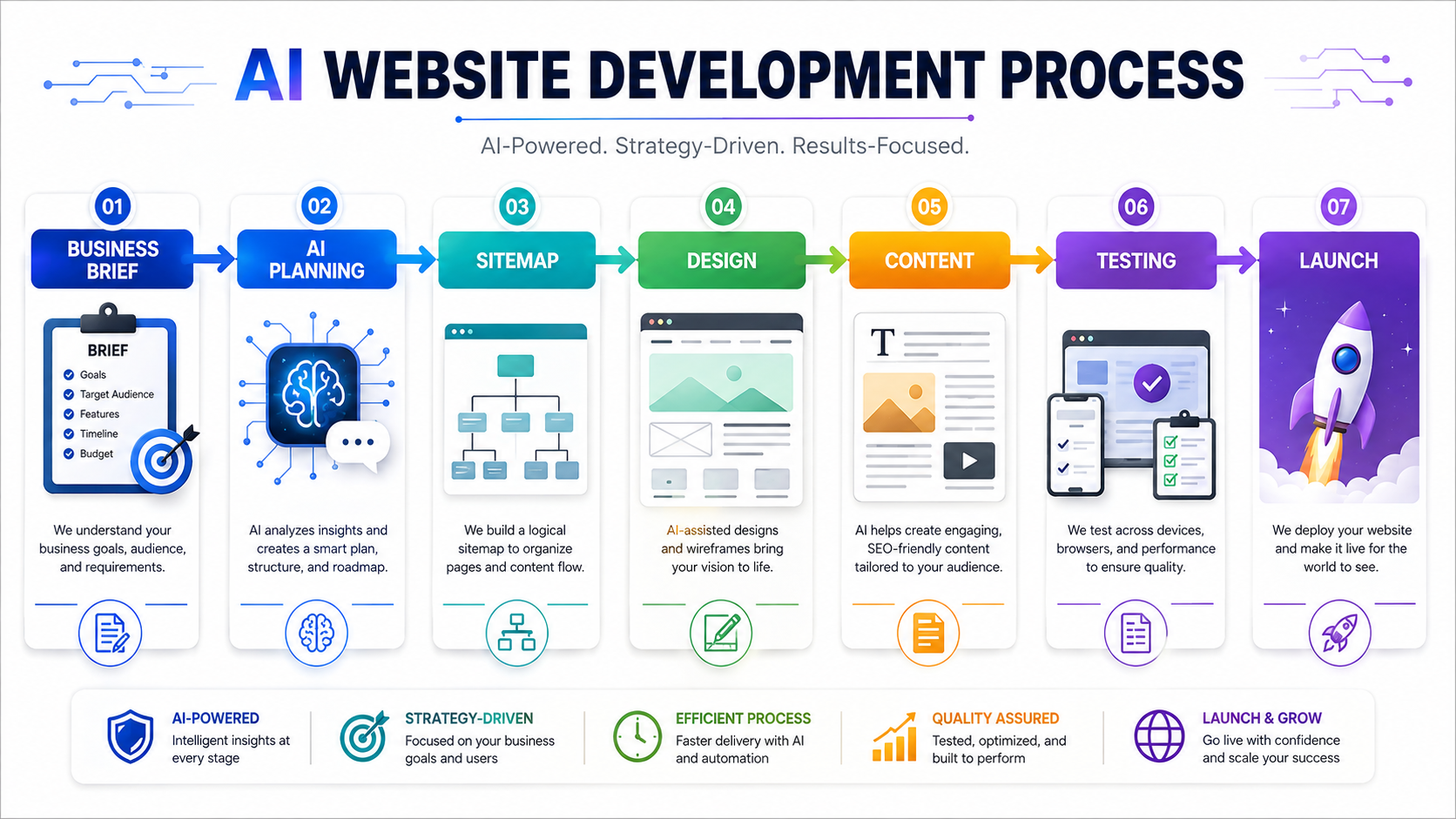
A website project becomes easier when research, planning, writing, design, and testing follow one clear process. How to use AI to build a website starts with giving the tool detailed information about the business, target audience, services, goals, and required features. AI can help create a sitemap, suggest page layouts, draft content, generate design ideas, write code, and identify basic usability problems. It can also reduce the time spent on repetitive tasks. However, AI does not remove the need for human review. Business owners still need to check accuracy, branding, security, accessibility, and search performance before publishing the site.
The strongest results come from using AI as a skilled assistant rather than asking it to make every decision. A vague prompt often creates a generic website. A detailed brief gives the system enough context to produce useful recommendations. Before selecting a website builder or code generator, define what the site should achieve. It may need to generate leads, sell products, book appointments, educate customers, or support existing clients. That goal should guide every later decision.
Start With A Detailed Website Brief
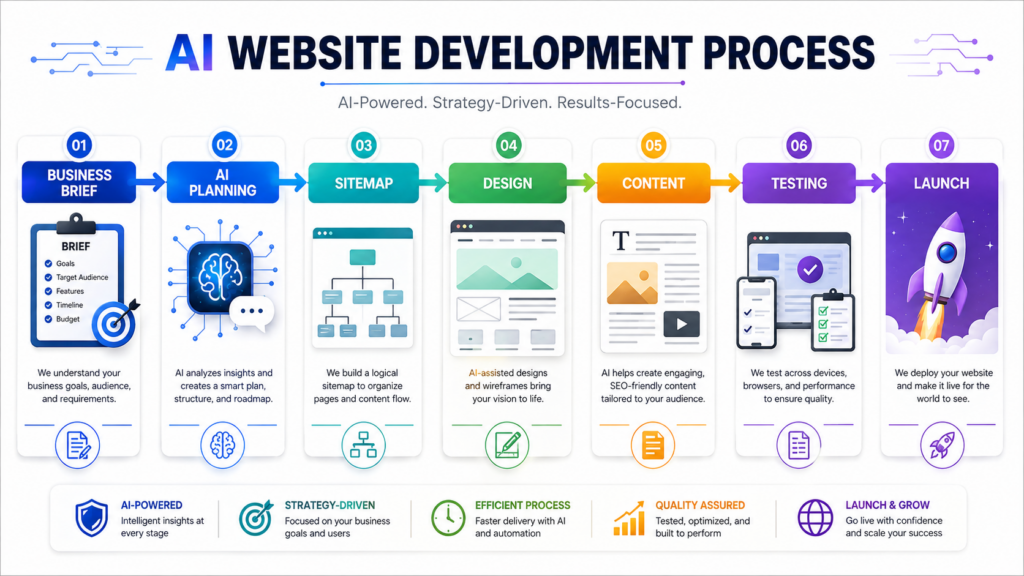
A website brief gives AI the information it needs to produce relevant work. Begin with the business name, industry, location, main services, ideal customer, brand personality, and primary conversion goal. Include any pages or features that the site must contain. A local contractor may need service-area pages, estimate forms, and project galleries. A consultant may need case studies, appointment scheduling, and educational content. An online store may need product categories, secure checkout, shipping information, and customer accounts.
The brief should also explain what visitors need to know before they take action. Include common questions, customer concerns, competitive advantages, and any claims that require careful wording. Ask the AI to summarize the brief before it starts creating content. This reveals whether the system interpreted the instructions correctly. Correcting a misunderstanding at this stage takes far less time than rewriting an entire site. A clear brief also keeps different AI-generated pages consistent in tone, purpose, and structure.
Use AI To Create A Logical Sitemap
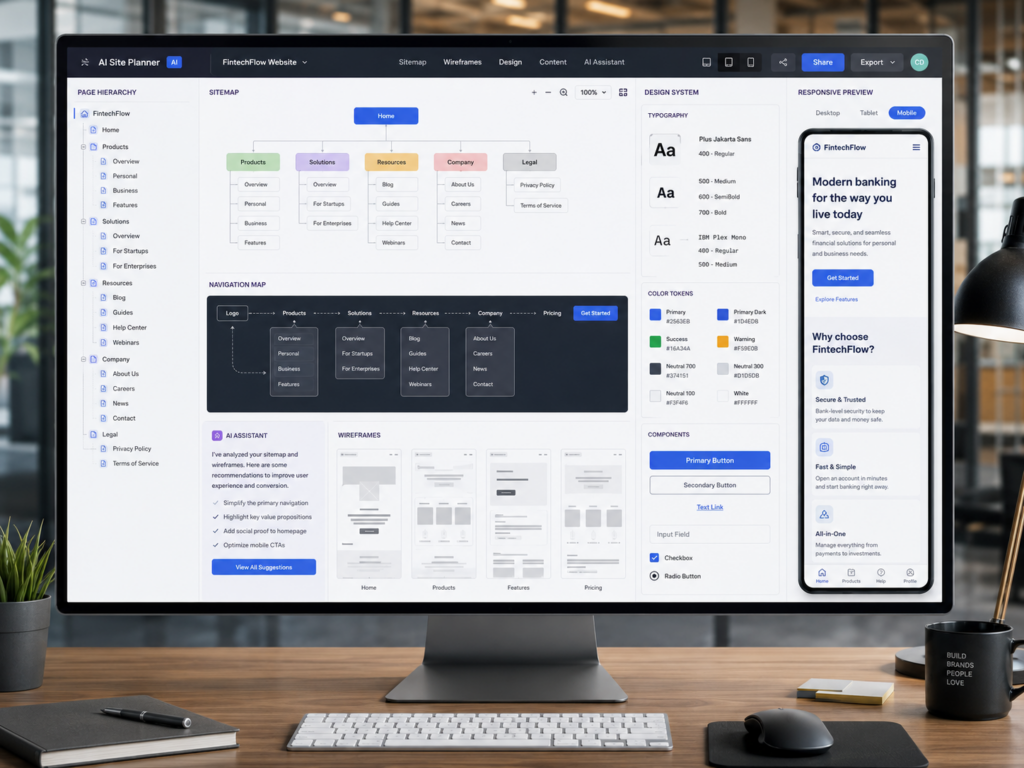
A sitemap lists the pages of a website and shows how users will move between them. AI can turn the business brief into a suggested page structure within seconds. Most service websites need a homepage, service pages, an about page, a contact page, and supporting resources. Some businesses also need location pages, pricing information, customer portals, booking pages, or frequently asked questions. Review every suggestion and remove pages that do not support a clear customer or business need.
Ask the AI to explain the purpose of each page and the action visitors should take on each page. The homepage should communicate the main value quickly. Service pages should answer detailed questions and build confidence. Contact pages should make the next step simple. Businesses improving an outdated site can connect this planning stage with professional Website Redesign to simplify navigation and create clearer conversion paths. A focused sitemap prevents visitors from getting lost and gives writers, designers, and developers a shared plan.
Plan Each Page Before Generating The Copy
Artificial intelligence can create page outlines before drafting full paragraphs. This approach produces more organized content because every section has a specific purpose. Give the AI the page goal, target visitor, main service, desired action, and important questions. It can then suggest a sequence of headings that guides visitors from initial interest toward a decision. A service page may include a direct explanation, key benefits, process details, trust signals, common concerns, and a final call to action.
When learning how to use AI to build a website, avoid generating every page from one broad request. Work on one page at a time and review the structure before requesting the copy. This keeps the writing focused and makes weak sections easier to identify. Remove repeated ideas and ask for specific examples where the text feels generic. AI can organize information quickly, but the business should supply the facts, experience, and customer insight that make the page useful.

Generate Website Content Without Losing The Brand Voice
AI can draft homepage copy, service descriptions, calls to action, frequently asked questions, and contact-page text. It can also rewrite technical information in clearer language or adapt a message for different audiences. These capabilities speed up production, but first drafts often contain broad claims and repetitive phrases. Review every paragraph for accuracy and relevance. Replace generic statements with real details about the company, service process, locations, qualifications, and customer outcomes.
Create a short brand guide before generating the content. Explain the preferred tone, words to avoid, sentence style, audience knowledge level, and desired level of formality. Provide examples of existing copy that reflects the brand well. Ask the AI to follow these standards throughout the project. Human editing remains essential because the final content must sound like the business, not like a general template. Strong website copy should answer customer questions, reduce uncertainty, and lead naturally toward the next action.
Use AI To Create Visual Direction And Layout Ideas
AI can help define the visual direction before a designer begins building the pages. Provide the brand colors, audience, industry, and preferred style, then ask for layout suggestions that match the business goal. The system can recommend homepage sections, image styles, button placement, spacing, and visual hierarchy. It can also compare several directions, such as modern, minimal, professional, or bold. These ideas give the project a clearer starting point and reduce time spent guessing which layout may work best.
Generated suggestions should support usability rather than decoration alone. Important information needs enough space, calls to action should remain visible, and mobile users should receive the same clear experience as desktop visitors. AI may suggest attractive layouts that do not fit real content or customer behavior. Review every idea against the sitemap and page goals. The final design should guide users naturally instead of adding elements simply because they look impressive.
Generate Code In Small And Testable Sections
AI can write HTML, CSS, JavaScript, and code for many popular frameworks. It can build navigation menus, contact forms, pricing tables, service sections, and interactive components. The safest process is to request one section at a time. Small components are easier to review, test, and correct than a complete website generated in one response. Give the AI clear requirements for responsiveness, accessibility, file structure, and naming conventions before requesting code.
When learning how to use AI to build a website, treat generated code as a draft. Test it in a local environment or staging site before adding it to a live domain. Review scripts that handle customer data, payments, logins, or form submissions with extra care. AI can explain errors and suggest corrections, but it cannot guarantee that every output is secure or production-ready. Developers should check browser compatibility, loading speed, code quality, and security before launch.

Improve Accessibility And Mobile Usability
A website should work for people with different devices, abilities, and browsing preferences. AI can help identify missing image descriptions, weak color contrast, unclear form labels, poor heading structure, and navigation problems. It can also suggest simpler wording for instructions and error messages. These improvements make the website easier to use while supporting a wider audience. Accessibility should guide the project from the beginning rather than becoming a final checklist after the design is complete.
Mobile testing deserves equal attention because a large share of visitors will use phones or tablets. Buttons need enough space, text should remain readable, and forms should not require difficult gestures. According to the Web Accessibility Initiative from the World Wide Web Consortium, accessible web experiences depend on clear structure, usable controls, and content that works across different technologies. AI can support these checks, but real testing with browsers, screen readers, keyboards, and mobile devices remains essential.
Use AI To Support SEO And Performance Checks
AI can help review page titles, meta descriptions, heading structure, internal links, and keyword coverage. It can identify pages with thin content or repeated topics and suggest ways to improve clarity. It can also analyze page copy for search intent and recommend questions that customers may expect the website to answer. These suggestions provide a useful starting point, but they do not replace a complete search strategy. Strong SEO still depends on accurate content, technical health, authority, and a clear customer focus.
Performance also affects both search visibility and user experience. Ask AI to review image sizes, unnecessary scripts, duplicate code, and possible loading problems. Then confirm those suggestions with real performance tools. Automated recommendations may miss issues that appear only on certain devices or hosting environments. A good website should load quickly, respond smoothly, and remain stable as traffic grows. Regular testing helps prevent a visually polished site from failing when real visitors begin using it.
Test Every Page Before The Website Goes Live
Launching without testing can turn small mistakes into public problems. Review every link, button, form, menu, image, and call to action before publishing. Submit forms using different devices and confirm that messages reach the correct person or CRM. Check that confirmation pages work and that users receive clear instructions after taking action. Test the site in several browsers because layouts and scripts may behave differently across platforms.
AI can create testing checklists and help diagnose issues, but people should still complete the final review. Ask employees or trusted customers to use the website without guidance. Their behavior may reveal confusing navigation, unclear wording, or missing information. Record the problems they encounter and fix the most important ones before launch. This practical review helps ensure that the website supports real users rather than only matching the original plan.
Conclusion
How to use AI to build a website involves using artificial intelligence for planning, sitemap creation, content development, visual direction, coding, testing, and optimization. The technology can reduce repetitive work and help a project move faster, but it should not make every decision. Human review remains necessary for accuracy, security, accessibility, branding, and customer experience.
The best results come from combining AI speed with clear business goals and professional judgment. A strong website should do more than look modern. It should help visitors find information, trust the business, and take the next step without confusion. Companies ready to combine AI-assisted development with strategy, design, and long-term support often work with Best Website Builder Group to create websites that support measurable growth.