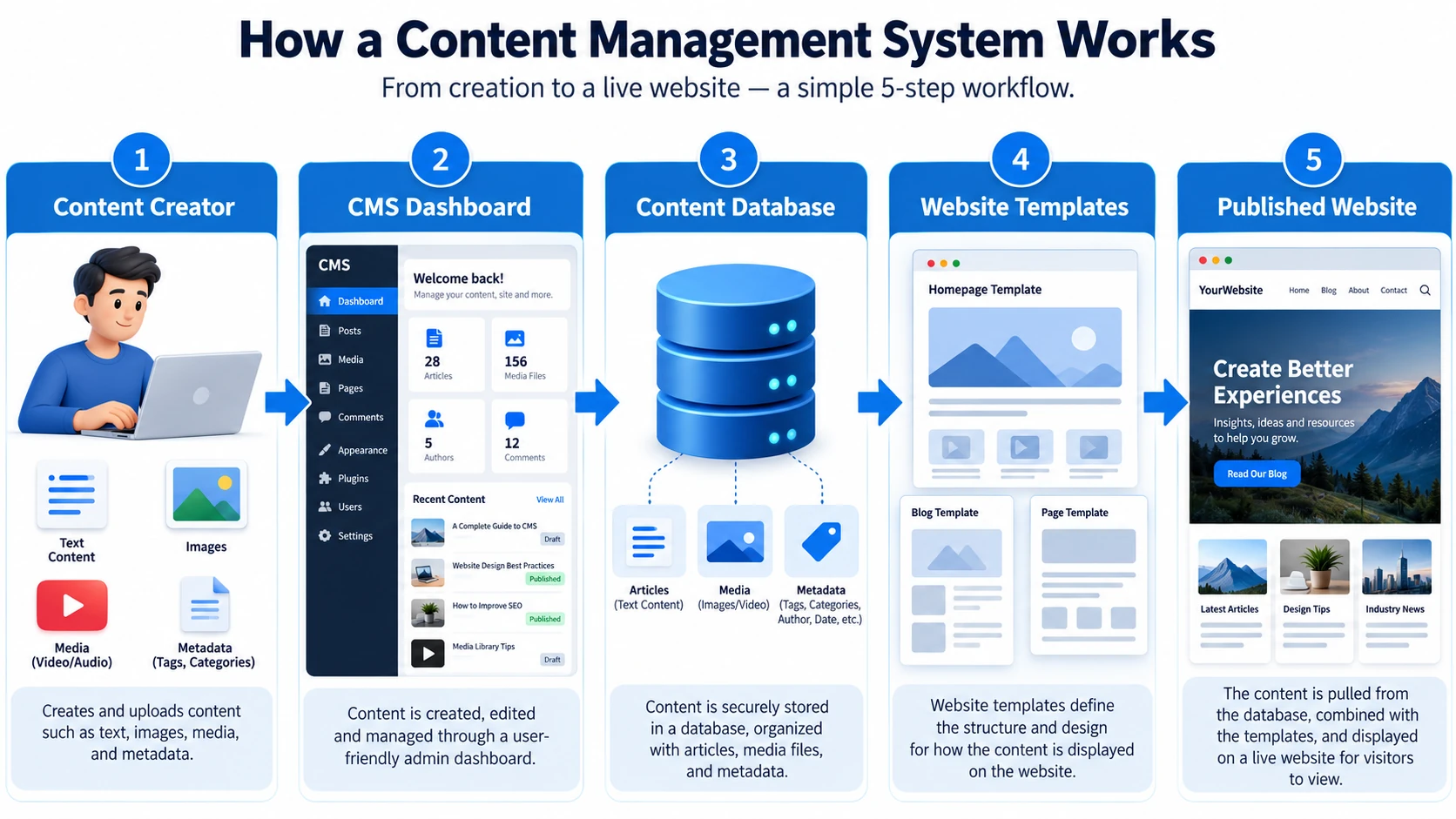
Yes, WordPress is a content management system (CMS) that allows users to create, edit, organize, and publish website content without advanced programming knowledge. It provides tools for managing pages, blog posts, images, website designs, and user accounts through an administration dashboard. When asking is WordPress a CMS, the answer is clearly yes. It is an open-source platform suitable for blogs, business websites, portfolios, and ecommerce stores.
WordPress originally focused on blogging but has developed into a flexible website management platform. Today, businesses use it to manage everything from simple informational pages to complex websites. Its themes, plugins, and content editing tools make website management accessible while allowing developers to customize advanced functionality.
What A Content Management System Does
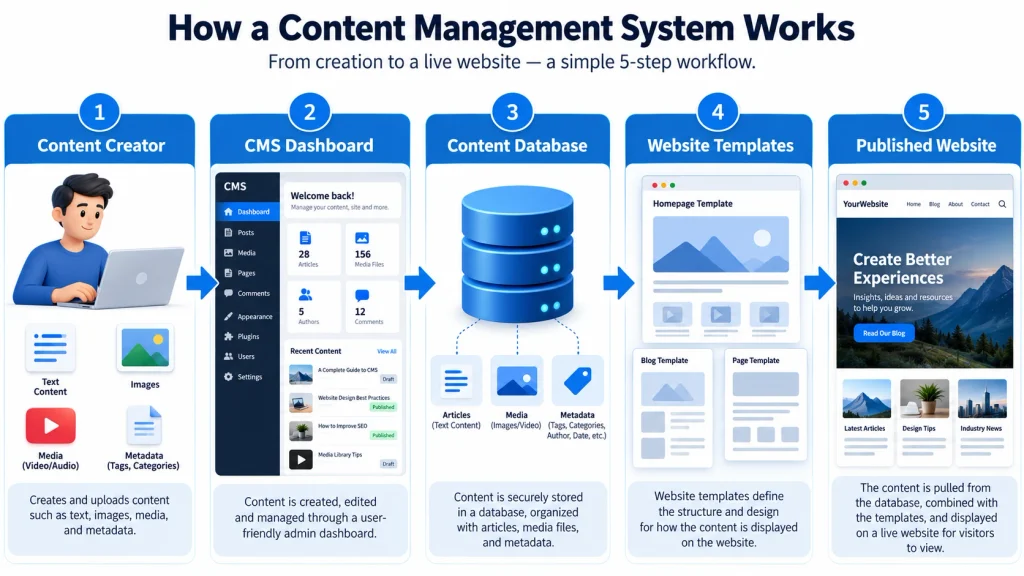
A content management system is software that helps users create, organize, modify, and publish digital content through a centralized interface. Instead of manually editing HTML files whenever website information changes, users can manage content through an administrative dashboard. A CMS typically separates content management from the templates responsible for displaying that content. This arrangement makes updating pages easier and helps maintain a consistent appearance throughout the website. Businesses can publish articles, modify service descriptions, upload images, and organize information without rebuilding the entire website.
Content management systems also support collaboration and ongoing maintenance. Different employees can receive permissions to write articles, edit pages, or manage technical settings. For example, a marketing employee might update blog content while an administrator handles plugins and website configuration. A CMS can also provide scheduling, media organization, and content categorization features. These capabilities are especially useful for websites that require frequent updates. Understanding these functions helps explain why businesses choose content management systems instead of relying entirely on manually coded websites.
How WordPress Works As A CMS
WordPress provides an administration dashboard that connects content creation with website management. Users can access separate sections for posts, pages, media files, themes, plugins, and settings. When someone creates a page, WordPress stores its content and associated information in a database. The platform then uses templates and other components to display that information to website visitors. This approach allows users to update content without modifying the entire page structure. Therefore, when considering is WordPress a CMS, its content storage, editing, and publishing capabilities clearly match the purpose of a content management system.
WordPress also includes the block editor, which allows users to arrange content using individual elements. These blocks can contain paragraphs, headings, images, buttons, galleries, and other components. Users can add, rearrange, or remove blocks without manually writing HTML for each element. Developers can extend the system through custom themes, plugins, and application programming interfaces. This flexibility makes WordPress suitable for both beginners and experienced developers. However, website owners still need to manage updates, security, and performance to maintain a reliable website.

WordPress.org Versus WordPress.com
WordPress.org and WordPress.com both use WordPress technology, but they offer different approaches to website management. WordPress.org distributes the open-source WordPress software, which users can install on compatible web hosting. This option provides extensive control over themes, plugins, website files, and server configurations. However, website owners must arrange hosting and manage important maintenance responsibilities. WordPress.com provides a hosted service that combines WordPress with managed infrastructure and plan-dependent features. Users can create websites without separately installing the software on their own hosting accounts.
The following table explains the main differences between the two options.
| Feature | WordPress.org | WordPress.com |
|---|---|---|
| Hosting | Arrange your own hosting | Hosted service |
| Software | Open-source WordPress | WordPress-based platform |
| Themes | Extensive customization | Depends on plan and features |
| Plugins | Install compatible plugins | Availability depends on plan |
| Maintenance | Owner or hosting provider | Platform manages core hosting |
| Technical Control | Greater server-level control | Managed environment |
When deciding is WordPress a CMS that fits your requirements, consider which hosting model works best. Self-hosted WordPress offers flexibility for custom projects, while managed hosting can simplify administration. The better choice depends on technical experience, budget, and customization needs. Both approaches support website content management, but their responsibilities and available controls differ.
Managing Website Content With WordPress
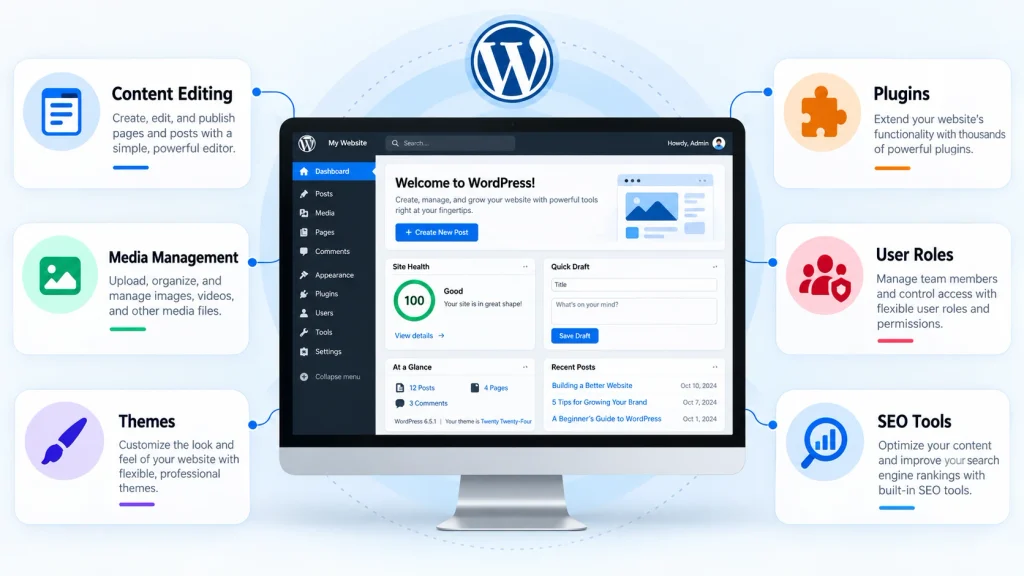
Content management is one of WordPress’s most useful capabilities. The platform distinguishes between posts and pages to help users organize different types of information. Posts generally support regularly published articles, announcements, and blog content. Pages usually contain more permanent information, including About, Services, Contact, and company information. Users can add new content, revise existing material, and preview changes before publication. WordPress also provides categories and tags for organizing posts, making related information easier for visitors to discover.
The Media Library helps users upload and manage images, documents, and other supported files. Editors can insert these resources into pages without repeatedly uploading the same content. WordPress also supports scheduled publishing and content revisions, allowing authorized users to prepare articles and review previous versions. Another important feature is role-based access control. Administrators can assign permissions according to different responsibilities, such as editing posts or managing website settings. The official WordPress roles and capabilities documentation explains how these permissions work. These features demonstrate why WordPress functions as a complete content management platform rather than a simple blogging tool.
WordPress Themes, Plugins, And Customization
Themes control the visual appearance of a WordPress website. They determine how templates, typography, colors, navigation, and other design elements appear. Users can choose from available themes or develop customized designs that reflect their branding. Block themes support site-wide editing through the Site Editor, while classic themes may provide different customization interfaces. These options allow businesses to modify website presentation without rebuilding their content. When evaluating is WordPress a CMS, the separation between content and visual design represents an important advantage.
Plugins extend WordPress functionality beyond its standard features. They can provide contact forms, ecommerce capabilities, SEO tools, security improvements, appointment scheduling, and other functions. WooCommerce, for example, adds online store management features to WordPress. However, excessive plugins can increase maintenance requirements and introduce compatibility issues. Website owners should choose reputable extensions and keep them updated. Businesses needing custom functionality can explore web development services for specialized integrations, plugins, and website applications. WordPress customization works best when additional features support clear business requirements rather than creating unnecessary complexity.
WordPress CMS Benefits For Businesses
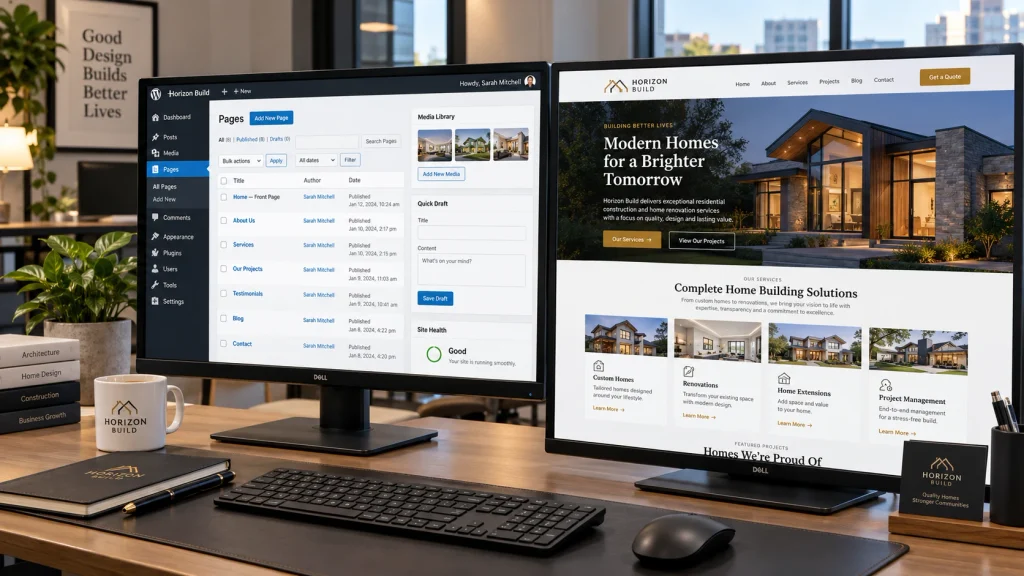
WordPress offers several advantages for businesses that regularly publish content or update website information. Its dashboard allows employees to modify service descriptions, publish articles, and manage images without relying on developers for every minor change. This independence can reduce routine maintenance costs and improve publishing efficiency. WordPress also supports websites of different sizes, from small local businesses to larger publishing operations. Its flexible architecture allows organizations to expand website functionality as their requirements change.
Another benefit is control over content organization and search engine optimization. WordPress supports descriptive URLs, heading structures, internal linking, and integrations with SEO tools. However, the platform does not automatically guarantee strong search rankings. Content quality, technical performance, and ongoing optimization remain important. When asking is WordPress a CMS suitable for business growth, consider its customization options and extensive developer ecosystem. Professional web design services can also help businesses create responsive layouts that match their branding and visitor expectations. A well-managed WordPress website can provide a practical foundation for long-term digital operations.
WordPress Compared With Other CMS Platforms
WordPress is not the only content management system available. Joomla, Drupal, and other platforms provide tools for managing digital content. Each solution offers different approaches to administration, customization, security, and development. WordPress emphasizes accessible content editing and a large ecosystem of themes and plugins. Drupal often appeals to organizations that require highly structured content models and extensive customization. Joomla provides content management features with its own approach to extensions, templates, and access controls. Choosing between these systems requires understanding the website’s technical requirements.
Some website builders also include content management capabilities, although their editing tools and hosting arrangements may differ from traditional CMS platforms. WordPress can provide greater control over website files and custom functionality in self-hosted environments. However, this flexibility can introduce additional maintenance responsibilities. Businesses should compare ease of use, hosting expenses, security practices, customization, and available technical support. No platform is automatically the best choice for every project. Selecting an appropriate system depends on how the organization plans to create, publish, and maintain its content.
Choosing WordPress For Different Website Types
WordPress supports various website categories because its content management features can adapt to different requirements. Bloggers can organize articles using categories and tags, while service businesses can publish detailed pages describing their offerings. Portfolio websites can display project galleries and professional information. Ecommerce businesses can add product management and checkout features through compatible extensions. Educational organizations may also use plugins to provide courses and membership functionality. These examples demonstrate that WordPress extends beyond basic article publishing.
When considering is WordPress a CMS suitable for your project, start by identifying your website’s purpose. Evaluate the required pages, content volume, integrations, and maintenance responsibilities. A small informational website may need only a lightweight theme and basic functionality. Meanwhile, a complex business platform might require custom development, additional security controls, and specialized hosting. WordPress can support both approaches, although advanced projects demand careful technical planning. Choosing reliable hosting, maintaining backups, and installing necessary updates also contribute to long-term performance. Understanding these responsibilities helps businesses decide whether WordPress matches their available resources.
Conclusion
So, is WordPress a CMS? Yes, WordPress is a fully developed content management system that supports website creation, content editing, media organization, and publishing. Its dashboard, themes, plugins, and user management features make it suitable for various digital projects. WordPress also offers considerable flexibility for businesses that need customized websites. However, successful implementation requires attention to website security, performance, accessibility, and ongoing maintenance.
Whether you are creating a blog, business website, portfolio, or ecommerce store, WordPress provides practical content management tools. The right setup depends on your technical experience and project requirements. At Best Website Builder Group, businesses can access professional website design and development solutions. These services help create customized WordPress websites that support content management and long-term business growth.