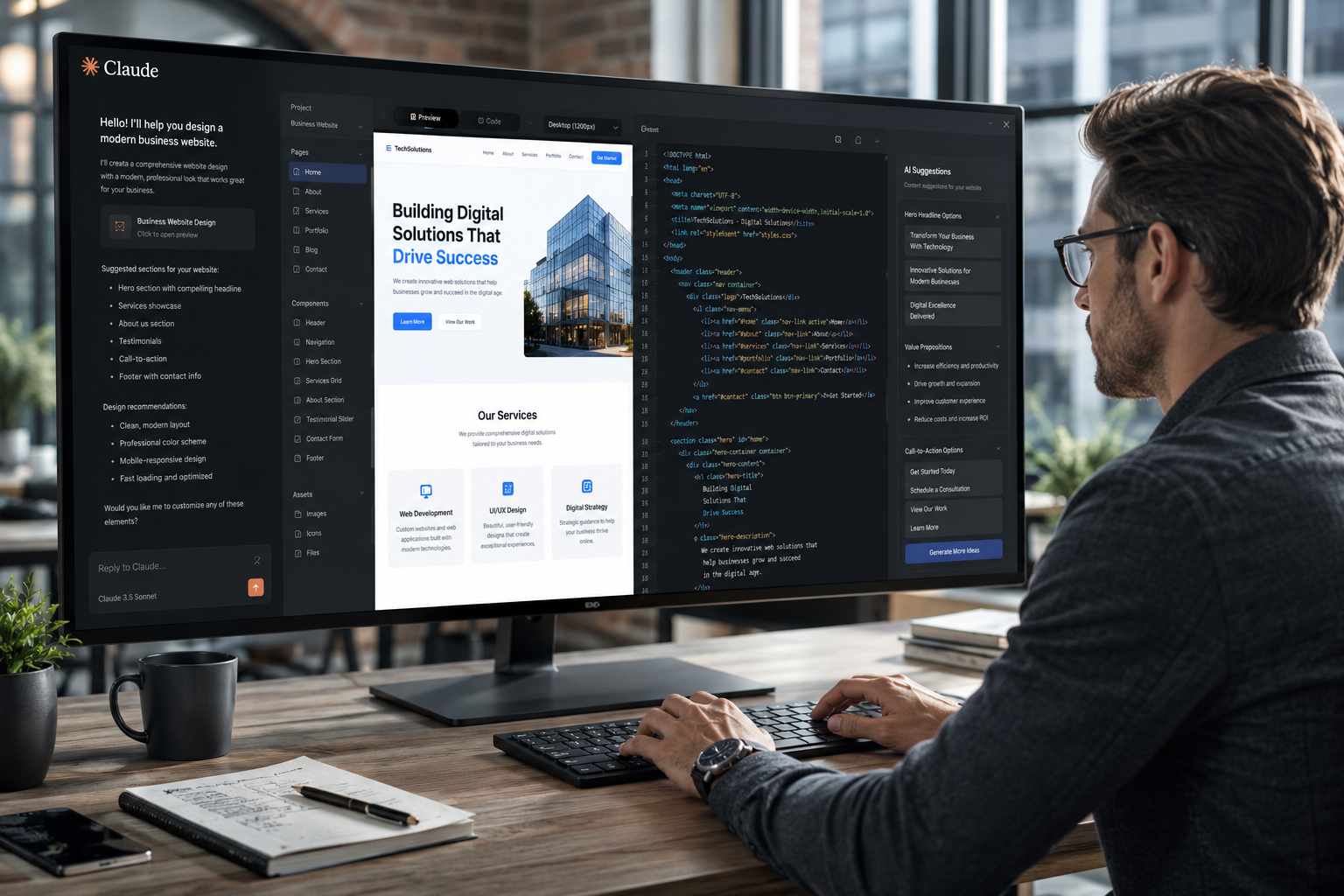
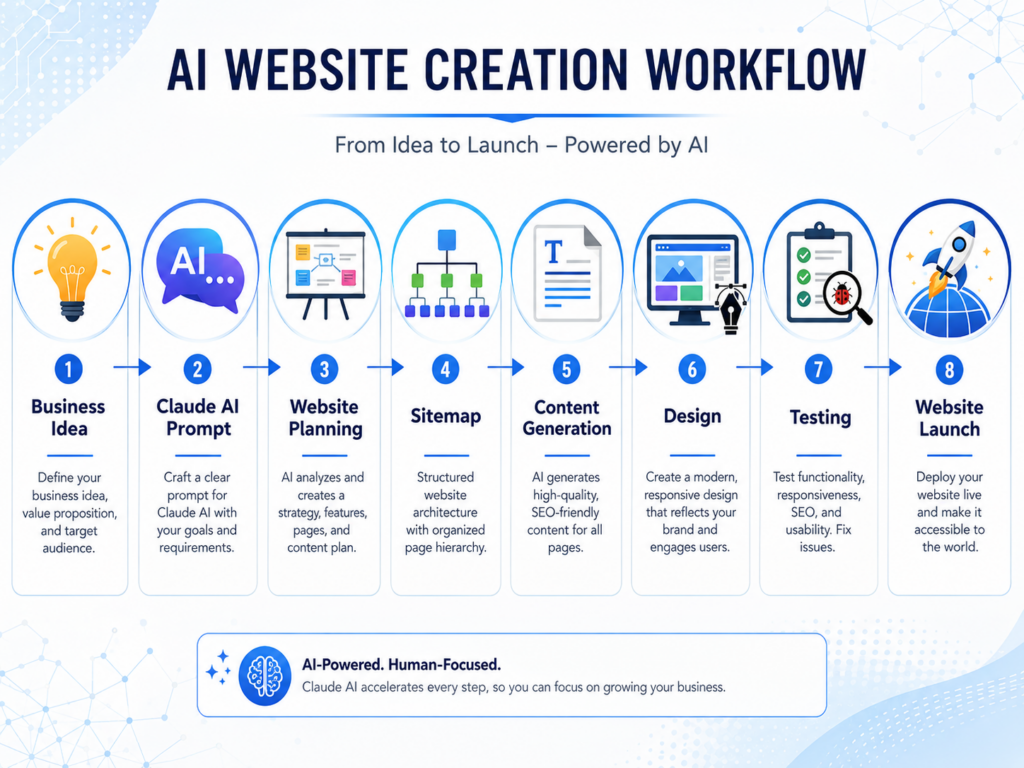
A website project becomes easier when the planning, writing, coding, and testing stages follow one clear process. How to make website with Claude begins by giving the AI a detailed description of the business, target audience, required pages, and main website goal. Claude can then help organize the sitemap, suggest page sections, draft content, explain technical choices, and generate code for specific components. It does not replace hosting, domain setup, browser testing, or professional review. However, it can reduce the time needed to move from an initial idea to a structured website draft. The best results come from treating Claude as a development assistant rather than asking it to produce an entire site from one vague prompt. Clear instructions help the tool create more relevant layouts, content, and code.
Before opening Claude, write down what the website must accomplish. A local service company may need quote requests and appointment scheduling. A consultant may need educational content and a consultation form. An online store may need product categories, secure checkout, and order information. These goals shape the website structure. They also help Claude avoid adding features that do not serve the business. A focused project brief should explain the brand, customer needs, preferred visual direction, and required functionality. Once Claude receives that context, it can suggest a practical path from planning through launch.
Create A Sitemap Before Writing Or Coding
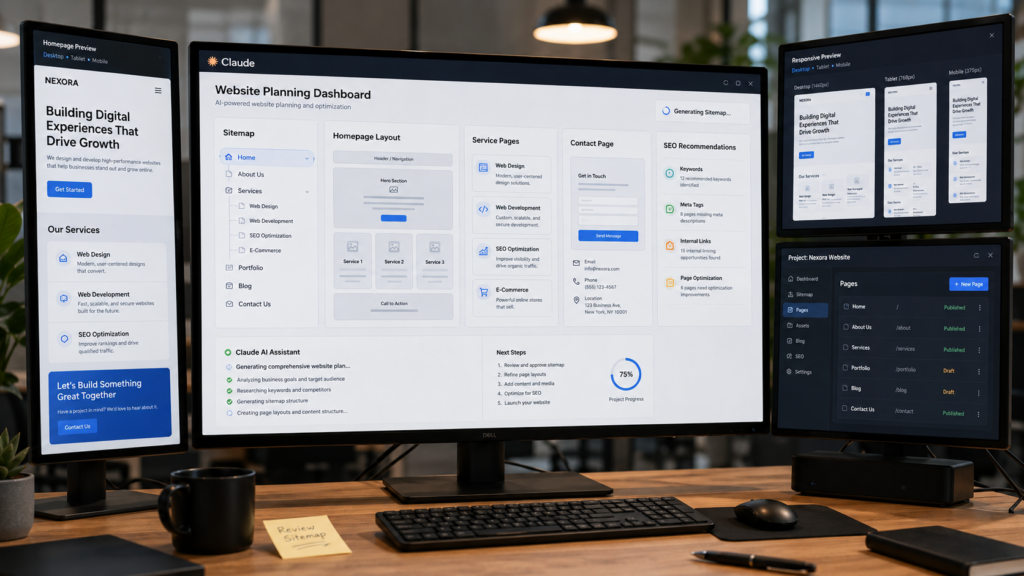
A sitemap lists the pages the website needs and shows how they connect. This step prevents the project from becoming a collection of unrelated pages. Claude can turn a short business description into a suggested sitemap that includes a homepage, service pages, an about page, contact information, and supporting resources. You should review every recommendation before accepting it. Some businesses need location pages, booking pages, customer portals, or case studies. Others only need a small set of focused pages. The sitemap should align with the customer journey rather than replicate the structure of a larger competitor. A simple navigation system usually creates a better experience than a crowded menu with too many choices.
After choosing the pages, ask Claude to define the purpose of each one. The homepage should explain the main value quickly and direct visitors toward important services. Service pages should answer customer questions and support clear actions. The contact page should make reaching the business easy. This planning process gives every page a role. Businesses that want a flexible content management system can connect the planning process with professional WordPress Website Design to create a site that remains easy to update after launch. A strong sitemap also makes future content expansion more organized.
Use Claude To Plan Page Layouts And Content Sections
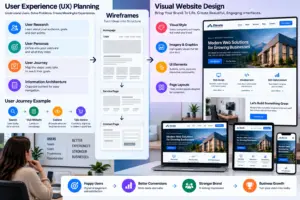
Once the sitemap is ready, Claude can help plan the content structure for each page. Start with one page at a time instead of requesting every section at once. Provide the page goal, target visitor, desired action, and any required information. Claude can then suggest a sequence of headings, trust signals, service explanations, calls to action, and frequently asked questions. For example, a service page may begin with a direct explanation, continue with benefits and process details, and end with a contact prompt. This structure gives users the information they need in a logical order. It also prevents important content from becoming buried beneath decorative elements.
Learning how to make website with Claude also requires strong editorial control. AI-generated content may sound polished while still remaining vague or repetitive. Review every paragraph for accuracy, usefulness, and brand fit. Add real details about services, experience, pricing factors, locations, or customer processes. Replace generic claims with specific information that helps visitors make decisions. Claude can speed up the first draft, but a human should shape the final voice. This combination produces content that feels useful instead of automated. It also gives designers and developers a complete content plan before they begin building the visual layout.
Generate Front-End Code In Small, Testable Sections
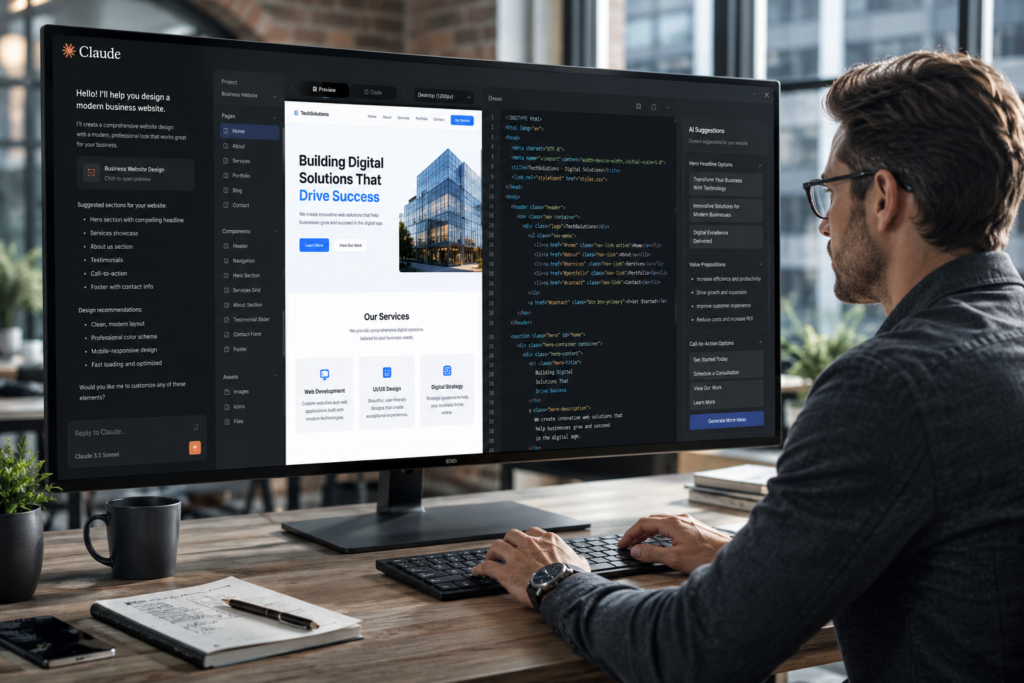
Claude can generate HTML, CSS, and JavaScript for individual website components. Asking for a complete site in one response often creates code that is difficult to test or maintain. A better method is to build the page in small sections. Begin with the header and navigation, then move to the main banner, service areas, testimonials, forms, and footer. Provide clear requirements for each component, including responsive behavior, spacing, accessibility, and interaction. After Claude generates the code, place it in a local development environment or code editor and test it in a browser. This process makes errors easier to find because each section has a limited purpose.
When using Claude for code, explain the tools and framework already in use. A plain HTML website needs different output from a React application or a WordPress theme. You should also ask the AI to comment complex sections and keep naming conventions consistent. Review every script before publishing it, especially code that handles forms, customer data, payments, or account access. Claude can explain unfamiliar code and suggest corrections, but it cannot guarantee that every output is secure or production-ready. Careful testing and professional review remain essential parts of how to make website with Claude successfully.
Refine The Design Through Testing And Feedback
Even a well-planned website needs testing before it goes live. Claude can help review navigation, identify inconsistent layouts, simplify content, and suggest usability improvements. After building the first version, test every page on desktop computers, tablets, and smartphones. Check that buttons work correctly, forms submit successfully, menus remain easy to use, and images load quickly. Small issues often have a significant impact on user experience, so it is better to identify them before visitors encounter them.
Feedback from real users is equally valuable. Ask colleagues, existing customers, or trusted partners to complete common tasks such as requesting a quote or finding a service page. Their comments often reveal confusing wording, missing information, or unnecessary steps that developers may overlook. Claude can then help rewrite sections, reorganize content, or suggest interface improvements based on that feedback. This cycle of testing and refinement produces a stronger website than relying only on AI-generated recommendations.
Optimize The Website For Search Engines And Performance
Building a website is only part of the project. People also need to find it. Claude can help generate SEO-friendly page titles, meta descriptions, heading structures, image alt text, and internal linking suggestions. It can also recommend content topics that answer common customer questions and support long-term organic traffic. These recommendations should always reflect genuine user needs rather than keyword repetition. Search engines reward websites that provide useful information and a positive user experience.
Performance is another important factor. Compressing images, minimizing unnecessary scripts, improving page loading speed, and using clean code all contribute to better search visibility and user satisfaction. Claude can review sections of code and explain opportunities for optimization, but developers should verify every recommendation through real testing. Fast, well-structured websites often keep visitors engaged longer and improve conversion rates over time.
Connect Claude With Your Development Workflow
Claude becomes more valuable when it supports an organized workflow instead of acting as a one-time content generator. Developers can use it to explain unfamiliar code, document functions, troubleshoot errors, generate test cases, and review implementation plans. Designers can request layout ideas and accessibility recommendations, while marketers can create content briefs and landing page outlines. Each team member uses the AI differently, but everyone benefits from faster planning and clearer communication.
Version control remains important throughout development. Save changes regularly, document major updates, and review generated code before merging it into the main project. Claude can explain the purpose of code changes, but human review should remain part of the approval process. Businesses that combine structured workflows with AI assistance usually produce more reliable websites than teams that depend entirely on automated output.

Know When Human Expertise Matters Most
Claude can produce impressive drafts, explain programming concepts, and accelerate many stages of website development. It cannot replace professional judgment when projects involve advanced security, payment processing, legal compliance, accessibility requirements, or complex integrations. Experienced developers understand how individual components affect long-term performance, maintainability, and scalability. They also know how to solve unexpected technical challenges that AI may not fully anticipate.
According to the World Wide Web Consortium (W3C), following recognized web standards improves accessibility, compatibility, and long-term reliability across browsers and devices. Combining AI assistance with established development practices creates stronger results than relying on automation alone. The goal is not to replace expertise but to use AI where it provides the greatest value.
Continue Improving After The Website Launches
Launching the website marks the beginning of an ongoing improvement process rather than the end of development. Businesses should review analytics, monitor visitor behavior, update content, test new ideas, and improve pages that receive high traffic but low conversions. Claude can assist by suggesting content updates, identifying areas that need clearer explanations, and generating ideas for future pages based on customer questions. Regular improvements help the website remain useful as business goals and customer expectations evolve.
Successful websites grow alongside the businesses they support. New services, customer feedback, and market changes all create opportunities for refinement. By combining thoughtful planning, careful testing, and responsible AI assistance, businesses can continue improving their digital presence without rebuilding the entire website every few years.
Conclusion
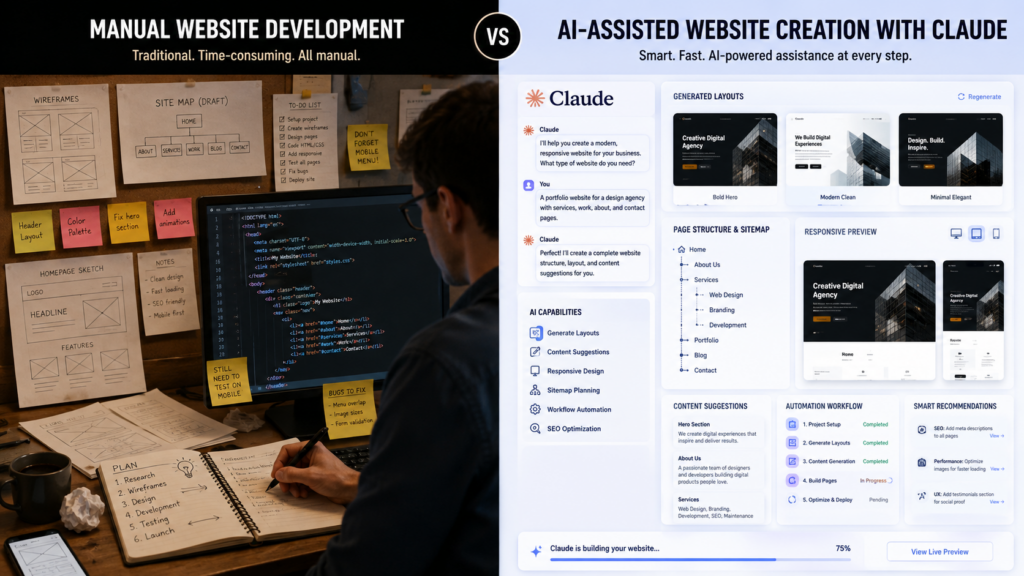
How to make website with Claude starts with defining clear business goals, creating a logical sitemap, planning useful content, generating code in manageable sections, and testing every feature carefully. Claude speeds up research, writing, planning, and development, but the strongest websites still depend on human review, strategic thinking, and real-world testing. Using AI as a collaborative assistant leads to better decisions than expecting it to complete every stage independently.
A successful website should support business growth, provide a great user experience, and remain easy to improve over time. Claude can shorten the development process, but lasting success comes from combining AI with proven design, development, and optimization practices. Businesses looking to create professional, scalable websites that continue delivering value long after launch often partner with Best Website Builder Group to build digital solutions that combine modern technology with long-term business strategy.