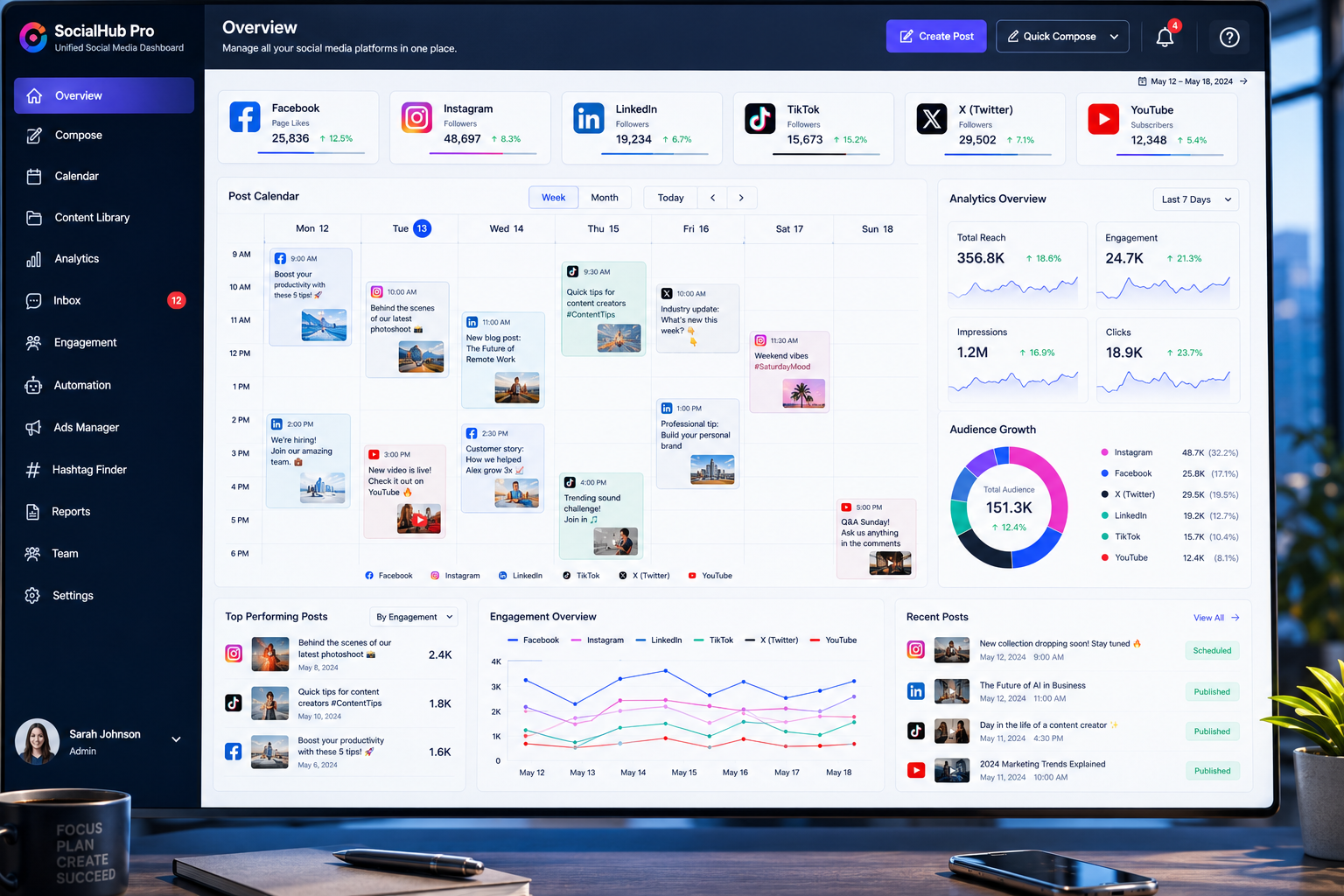
Managing several social profiles becomes difficult when every platform follows a separate schedule, audience, and content style. How to manage multiple social media accounts starts with creating one organized system for planning, publishing, responding, and measuring results. Businesses should define the purpose of each account, build a shared content calendar, assign clear responsibilities, and use a central management platform where appropriate. This prevents missed posts, duplicated content, delayed replies, and inconsistent branding. The goal is not to publish everywhere as often as possible.
Each account should support a clear business objective, such as customer service, local awareness, lead generation, community building, or product promotion. A structured workflow gives teams more control while reducing the daily pressure of switching between platforms. A strong system also separates strategy from execution. Teams should decide what they want to communicate before they begin creating posts. This makes content more useful and prevents last-minute publishing that lacks direction. Once the strategy is clear, scheduling tools, templates, approval steps, and performance reports can support the process. Organization allows a business to maintain a consistent presence without making social media consume every working hour.
Give Every Social Media Account A Clear Purpose
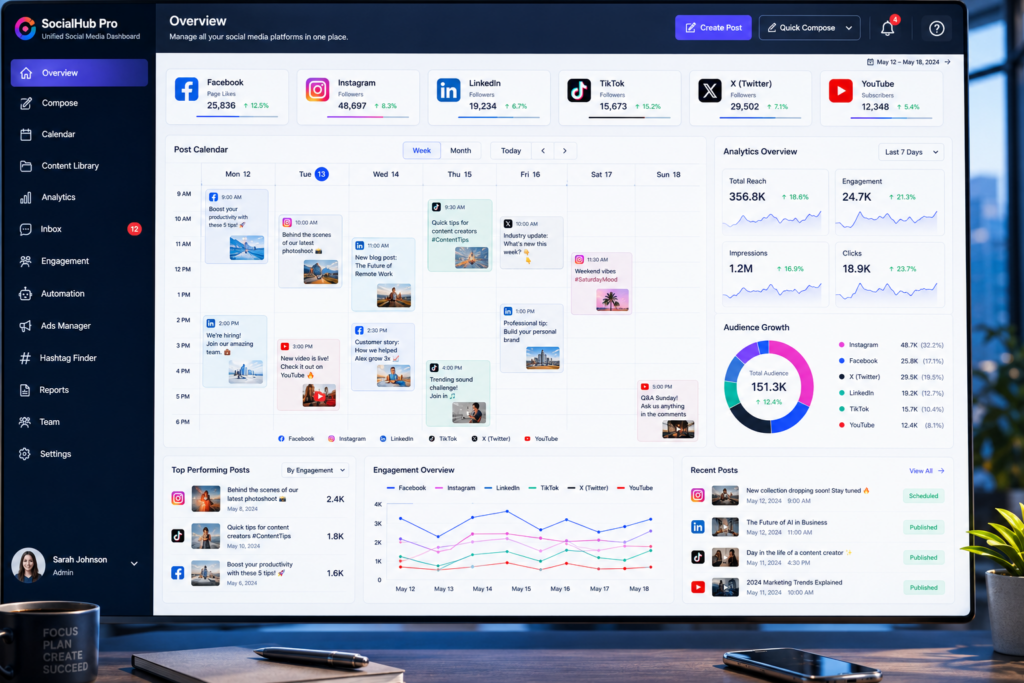
Each social platform attracts users with different expectations. A company may use LinkedIn to share professional insights, Instagram to present visual work, Facebook to communicate with a local community, and TikTok to publish short educational videos. Posting identical material on every account often produces weak results because the format and audience do not match. Before building a content calendar, define what each account should accomplish and which customer group it should serve. This makes it easier to choose relevant topics and avoid wasting time on platforms that do not support the business.
Account goals should connect to measurable outcomes. Brand-awareness accounts may focus on reach, shares, and profile visits. Customer-service profiles may prioritize response time and resolved questions. Lead-generation accounts should guide users toward service pages, booking forms, or useful resources. Clear goals help teams decide what to post and how to evaluate success. They also reveal when an account no longer deserves the same level of effort. A business does not need to maintain every available platform. It needs to maintain the platforms that reach the right audience and support a practical objective.
Build One Central Content Calendar
A central content calendar provides a complete view of what the business plans to publish across every account. It should include the platform, publication date, topic, format, campaign, responsible team member, approval status, and destination link. Keeping this information in one location reduces the risk of scheduling conflicting messages or forgetting important campaigns. The calendar also helps teams balance educational posts, company updates, customer stories, promotions, and community content instead of repeating the same sales message throughout the month.
Plan core themes first, then adapt each idea for the appropriate platform. One detailed article can support a LinkedIn post, a short video, an Instagram graphic, and several brief updates. The message remains consistent, but the presentation changes to match user behavior on each channel. This approach reduces content-production time without copying the same post everywhere. Businesses can also connect social campaigns with professional SEO Services so posts direct users toward valuable website content that supports both audience engagement and long-term search visibility.
Create A Repeatable Production And Approval Workflow
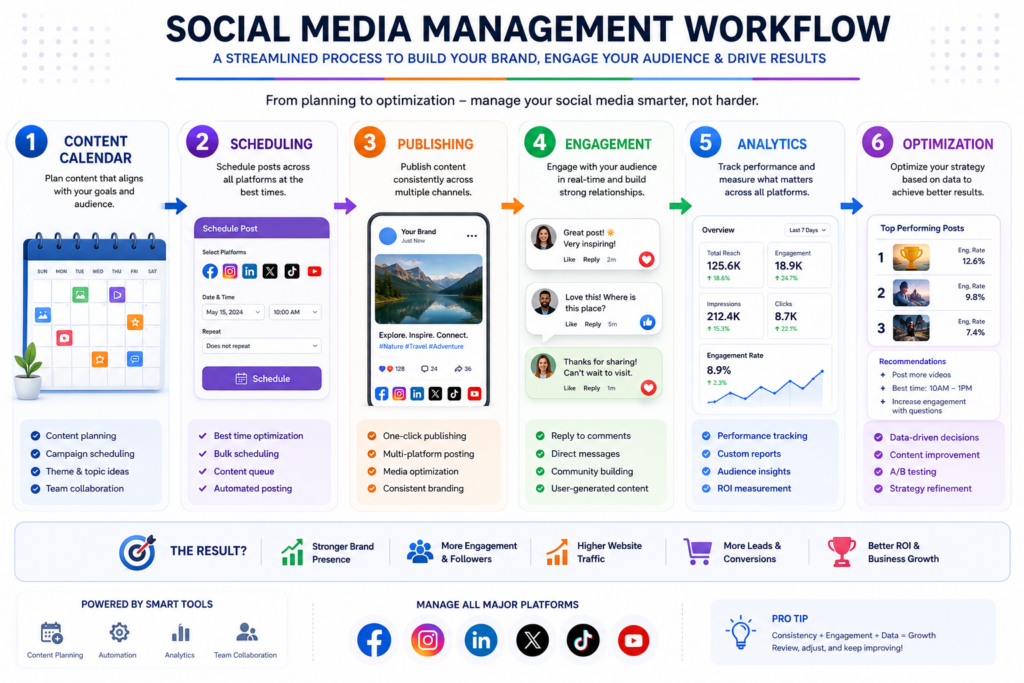
Social media becomes harder to manage when team members create posts without a shared process. A repeatable workflow should define who develops ideas, writes captions, creates visuals, reviews accuracy, approves publication, and monitors responses. Smaller businesses may assign several responsibilities to one person, while larger teams divide them among writers, designers, managers, and customer-service representatives. The exact structure matters less than making every responsibility clear. Without ownership, posts remain unfinished, approval becomes delayed, and customer questions may receive no response.
Set realistic deadlines for each stage. Content should reach reviewers early enough for meaningful corrections instead of receiving rushed approval minutes before publication. Create templates for recurring posts, campaign briefs, captions, and visual sizes. Templates speed up production while protecting brand consistency. Teams should also document words, claims, images, and topics that require additional review. This creates a reliable process that supports faster publishing without sacrificing accuracy. When learning how to manage multiple social media accounts, workflow discipline often provides more value than adding another software tool.
Use Scheduling Tools Without Making Every Account Feel Automated
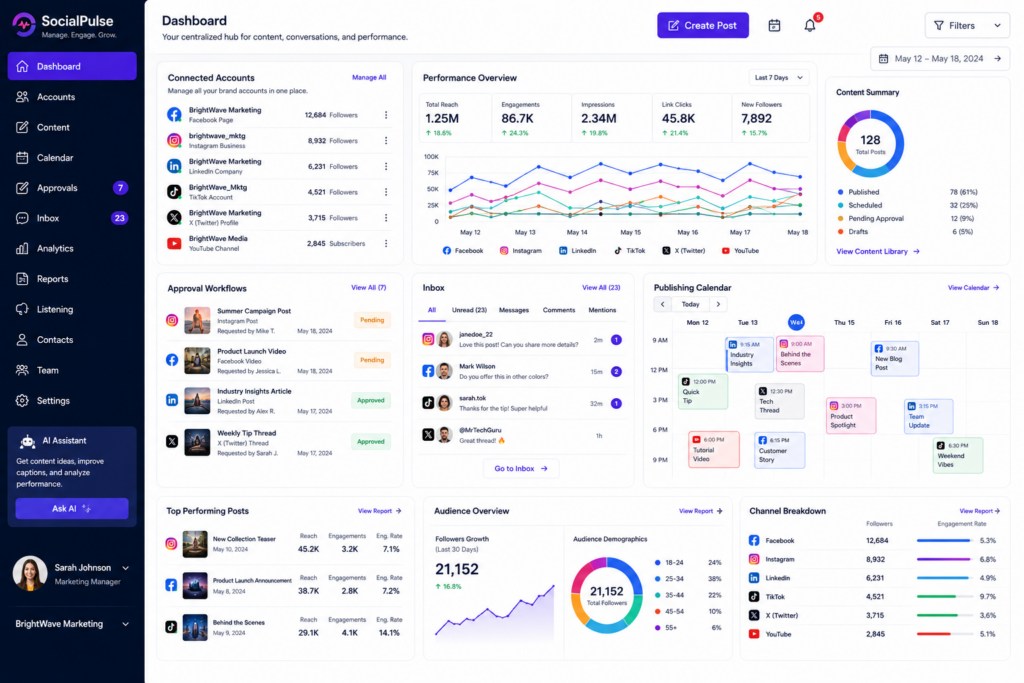
A social media management platform can bring publishing, calendars, notifications, and reports into one dashboard. This reduces the need to sign into each account separately and allows teams to schedule content ahead of time. Scheduling works especially well for educational posts, planned campaigns, event reminders, and evergreen content. It also helps businesses maintain activity during busy periods when employees cannot publish manually. However, automation should support the strategy rather than remove human involvement from every interaction.
Some content depends on current events, live customer feedback, or platform trends. Scheduling it too far in advance may make it feel outdated or insensitive when circumstances change. Teams should review the publishing queue regularly and pause posts when necessary. Customer replies also need a human tone. Automated acknowledgments can confirm that a message arrived, but a person should handle detailed questions, complaints, and sensitive conversations. The best system combines scheduling efficiency with active daily monitoring, allowing the business to remain organized while still sounding responsive and genuine.
Protect Account Access And Reduce Security Risks
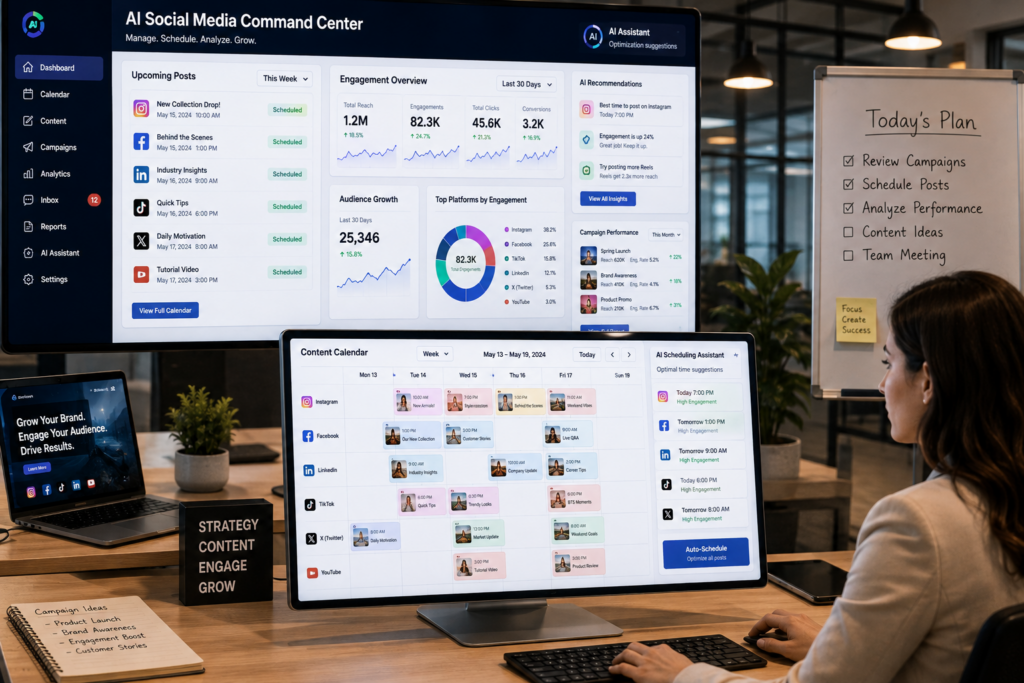
Managing several profiles increases the number of passwords, permissions, and connected applications that a business must protect. Teams should avoid sharing one password through email or chat. Instead, use role-based access, a reputable password manager, and multi-factor authentication wherever the platform supports it. Each employee should receive only the permissions required for their job. A writer may need publishing access, while an administrator may need billing and account controls. Limiting access reduces the damage that can occur if an employee account becomes compromised.
Review account permissions whenever team members change roles or leave the company. Remove old users, disconnect unused applications, and confirm that recovery email addresses remain current. The Cybersecurity and Infrastructure Security Agency recommends using strong, unique passwords and multi-factor authentication to strengthen account protection. Businesses should also document who owns each account and how access can be restored. Clear security procedures prevent a former employee, forgotten login, or compromised device from disrupting every social channel at once.
Respond To Messages From One Organized Inbox
Publishing content is only one part of social media management. Customers also use comments and direct messages to ask questions, report problems, and request information. When teams check each platform separately, important conversations can disappear beneath notifications. A shared social inbox brings messages from several accounts into one workspace. Team members can assign conversations, add internal notes, and track which requests still need a response. This reduces duplicate replies and helps customers receive more consistent support.
Create simple response standards for common situations. Routine questions may use approved templates, but employees should personalize the final message. Complaints need empathy and a clear next step rather than a generic reply. Sensitive account or payment details should move to a private and secure channel. Set realistic response-time targets and review unanswered messages each day. A fast reply can strengthen trust, while silence may push a customer toward a competitor. An organized inbox helps a growing team maintain personal communication without losing control of the workload.
Measure Results By Platform And Business Goal
Follower counts can look impressive without creating meaningful business results. Each account should be measured according to its original purpose. A local awareness campaign may focus on reach, profile visits, and location-based engagement. A lead-generation campaign should track website visits, form submissions, booked calls, and qualified inquiries. Customer-service accounts may prioritize response time, resolved issues, and customer sentiment. Matching metrics to goals prevents teams from judging every platform by the same standard.
Review performance at regular intervals rather than reacting to every post. Weekly checks can identify urgent issues, while monthly reviews reveal broader patterns. Compare formats, topics, posting times, and calls to action. Look for content that produces valuable actions, not only likes. Website analytics can show whether social visitors explore service pages, leave quickly, or complete conversions. These insights help teams reduce low-value activity and invest more time in channels that support real business growth. Strong measurement turns social media from a constant publishing task into a more focused marketing system.
Adapt Content Without Rebuilding Every Post
Managing several accounts does not require creating every idea from the beginning. A strong core topic can support multiple formats when the team adapts it to each platform. A detailed customer guide may become a LinkedIn insight, a short video, an image carousel, and a brief discussion prompt. The main information remains consistent, but the length, visual style, and opening change for each audience. This approach saves production time while avoiding identical posts that feel copied and poorly matched to the platform.
Teams should also maintain a library of approved photos, videos, logos, testimonials, statistics, and evergreen captions. A shared library reduces time spent searching for assets and helps prevent the use of outdated branding. Review older high-performing content and update it when the information remains useful. Repurposing should add value rather than merely repeat the original. A new format can highlight a different lesson, answer a follow-up question, or speak to another stage of the customer journey. Thoughtful adaptation supports consistency while keeping each account relevant.
Review The System And Remove Unnecessary Work
Social media strategies should change as the business learns which accounts, formats, and workflows produce worthwhile results. Review the full system every few months. Identify platforms that receive little engagement, approval steps that create delays, tools that duplicate functions, and reports that no one uses. Removing unnecessary work gives the team more time for stronger content and better customer conversations. A smaller, well-managed presence often performs better than many neglected profiles.
Document the processes that continue to work. Record publishing schedules, account goals, access rules, response standards, and reporting methods in one internal guide. This makes training easier and reduces disruption when responsibilities change. Learning how to manage multiple social media accounts is not about adding more tasks to the calendar. It is about building a dependable system that protects the brand and directs effort toward useful outcomes. Regular reviews keep that system practical as platforms, audiences, and business priorities evolve.

Conclusion
How to manage multiple social media accounts comes down to assigning each account a purpose, planning content centrally, creating clear responsibilities, protecting access, organizing conversations, and measuring results against business goals. Scheduling tools can reduce repetitive work, but they cannot replace strategy or genuine customer communication. The strongest approach combines automation with regular human review.
A structured system helps businesses stay visible without allowing social media to overwhelm the team. It also creates a clearer connection between content, website traffic, customer service, and lead generation. Companies that want to connect social media activity with a stronger website and wider digital strategy often work with Best Website Builder Group to build online systems that support consistent growth and better customer experiences.