Changing a store name may seem like a small task, but it can affect how customers recognize your business. A company may rebrand, adjust its product focus, merge with another business, or simply replace a name that no longer fits. This is why many merchants need to know how to change store name on Shopify without disrupting their website or confusing customers.
The process itself is straightforward. Shopify lets merchants update the public store name from the General settings area. However, changing that field does not automatically change every place where the old name may appear. Your domain, logo, social profiles, email templates, policies, and marketing materials may still need separate updates.
Best Website Builder Group helps ecommerce businesses manage these types of Shopify changes when technical or branding issues become difficult to handle alone. Before renaming your store, it helps to understand what Shopify changes automatically and what still requires manual attention. The following steps explain the process and the checks you should complete afterward.
How To Change Store Name On Shopify
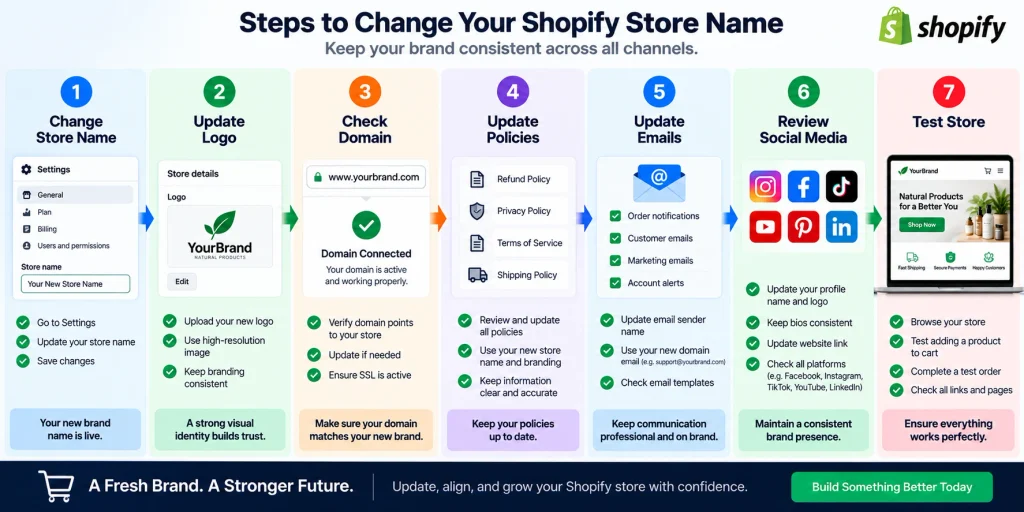
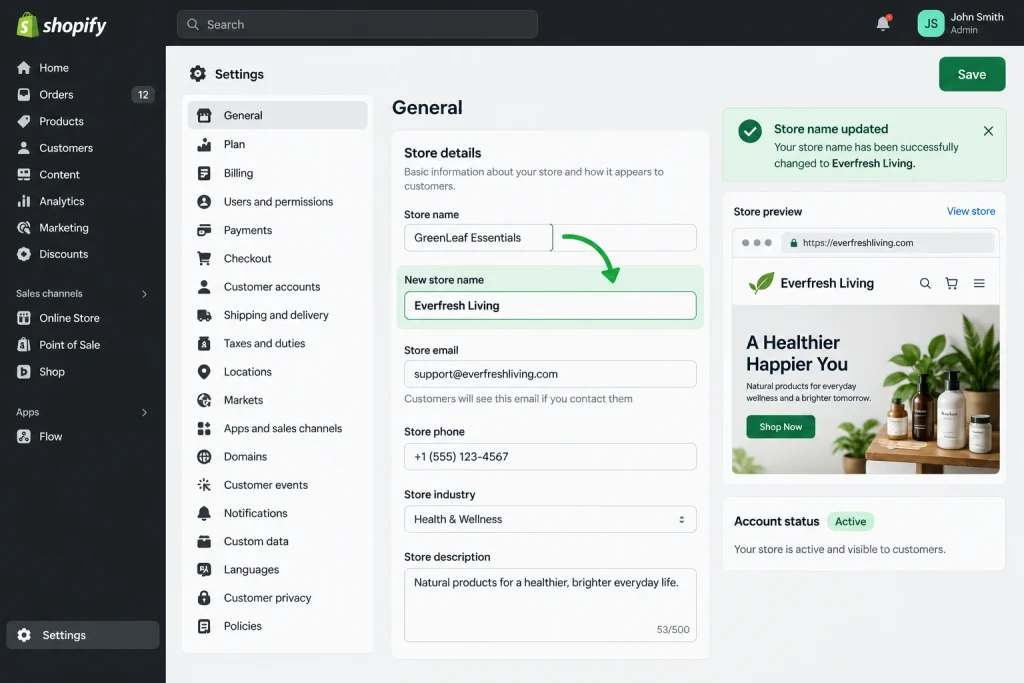
On desktop, sign in to your Shopify admin and open Settings. Select General, then find the Store contact details section. Click the current store name or the arrow beside it. Shopify will open the Store contact details page. Replace the existing name in the Store name field with your new name. Review the spelling carefully before clicking Save. Shopify currently allows merchants to change their store name from this area whenever needed.
The process is similar in the Shopify mobile app. Open the app, tap the menu, and select Settings. Under Store settings, choose General. Tap your store name inside Store contact details, edit the Store name field, and save the changes. After saving, refresh your storefront and admin area to confirm that the new name appears where expected. The change normally affects the store name connected with your account, but it does not automatically rewrite every branding element or address associated with your business. This distinction becomes important if the store has been operating for a long time.
What Changes When You Rename Your Store?
Updating the store name changes the name Shopify stores in your general business settings. Customers may see this information in areas connected with your store details and certain policies. Shopify notes that the store name, contact email, and phone information managed from Store contact details can be visible to customers. This is why merchants should check the public storefront after making the change instead of assuming that every customer-facing area will update perfectly.
A name change does not automatically redesign the website. Your logo may still display the old brand name if it is an uploaded image. Banner graphics, product photography, footer text, theme sections, promotional popups, and custom-coded areas can also retain the previous wording. Review the homepage first, then check important collection, product, contact, and policy pages. If the store uses a custom theme, inspect desktop and mobile layouts separately. Businesses that need help correcting theme issues or updating store elements can use professional Shopify support services from Best Website Builder Group.
Your Myshopify.com Domain Does Not Automatically Change
One of the most important details to understand is that changing the store name does not automatically change the original myshopify.com domain. Shopify specifically states that updating the store name and updating the default myshopify.com address are separate actions. A store could therefore display a new business name while its original Shopify-generated domain still contains wording from the previous brand.
This may not be noticeable to most customers if the store already uses a custom domain such as yourbrand.com. However, the myshopify.com address can still appear in administrative situations and integrations. Merchants considering a full rebrand should therefore review both their customer-facing domain and their Shopify-generated address. Do not assume that changing one will update the other. Shopify provides separate controls and rules for domain changes. Before making additional changes, check how apps, external services, product feeds, email systems, and integrations identify the store. A careless domain change can create more work than a simple name update, especially when several outside systems already connect with the ecommerce site.
Review Your Logo And Store Branding
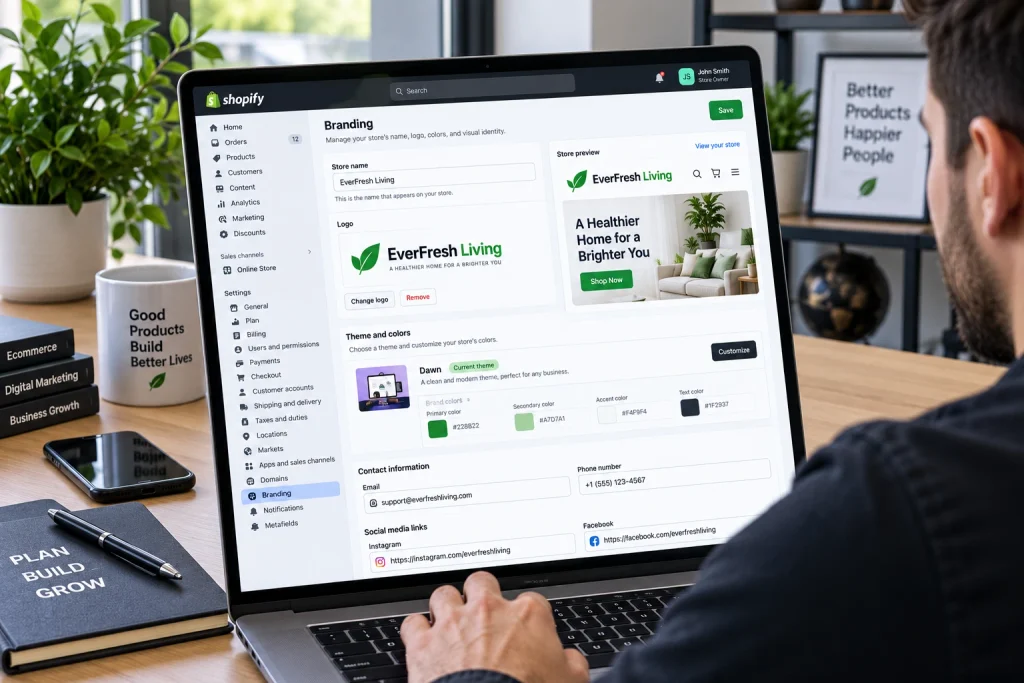
A new business name should appear consistently throughout the visual identity of the store. Start with the logo because it is usually one of the most visible brand elements. If your logo contains the old name, upload a revised version through the appropriate theme or branding settings. Check its appearance on desktop and mobile devices. A wider or longer name may change how the logo fits within the header, so spacing may need adjustment.
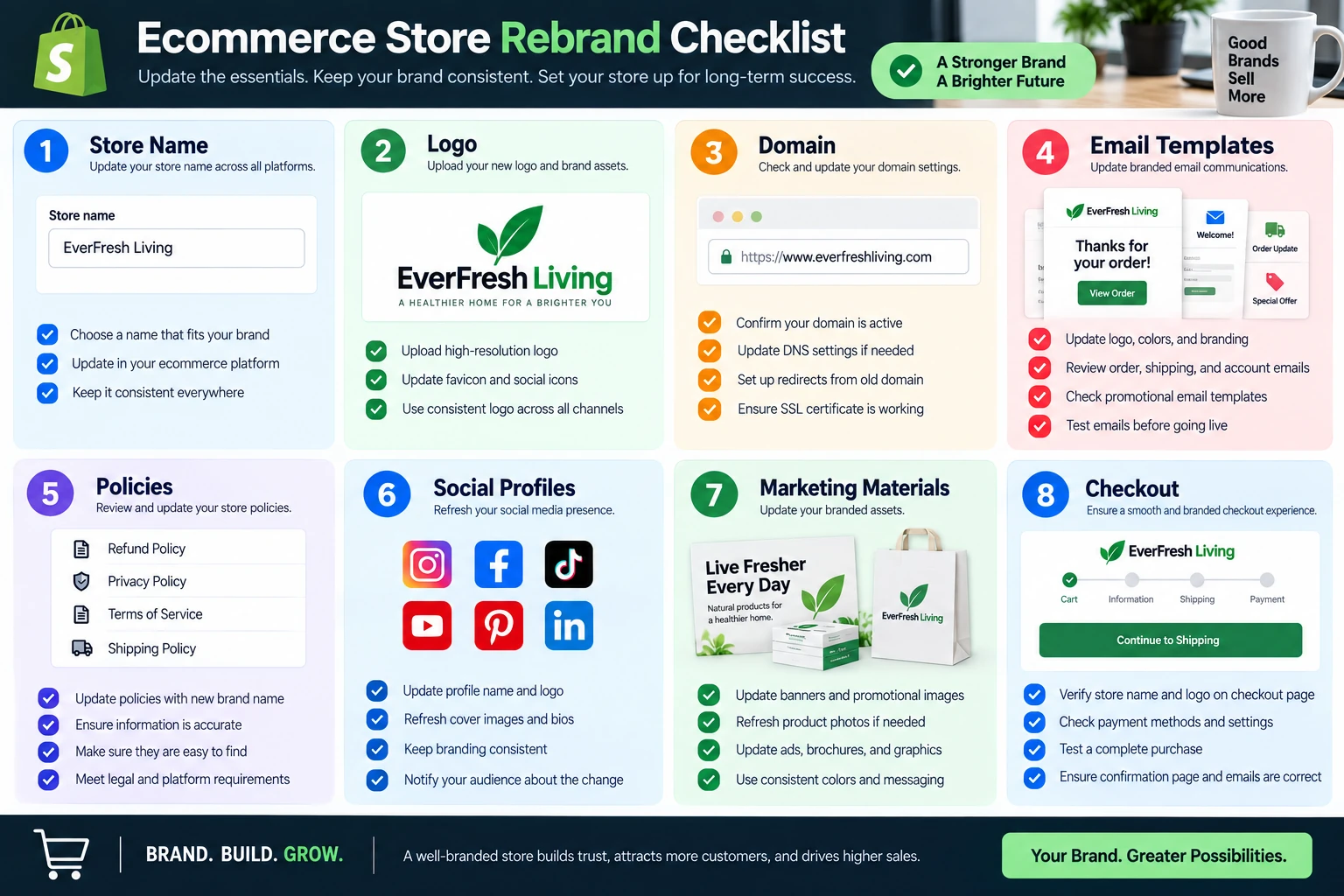
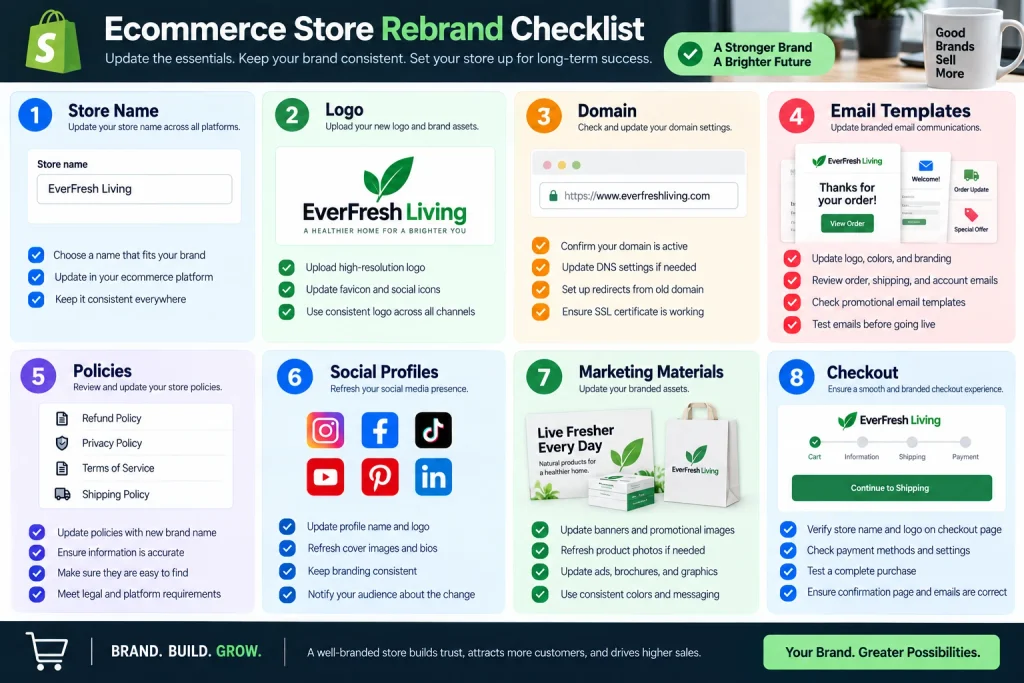
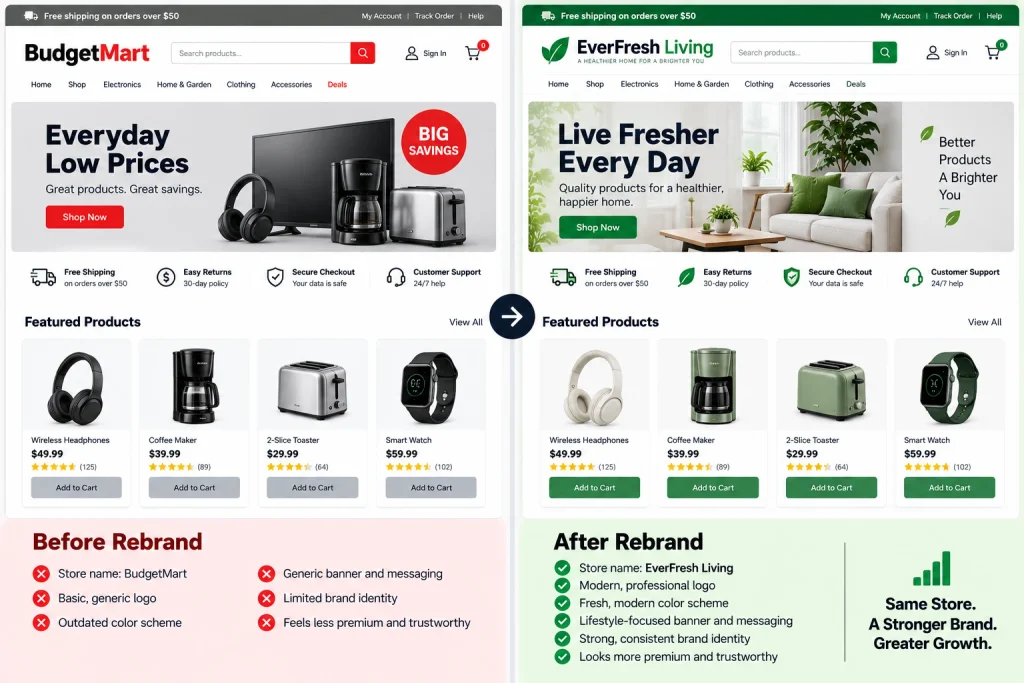
Next, inspect promotional banners, favicon graphics, announcement bars, image overlays, and other visual elements. Search through the theme for sections that include the old name as plain text. Product images may also contain outdated logos or packaging. Brand consistency matters because customers can become confused when the header shows one name while banners or checkout-related content show another. A complete rebrand usually requires more than editing a single setting. Keep a checklist of every place where the old identity appears, then work through the website systematically. This reduces the chance that customers will encounter conflicting names after the new brand launches.
Update Contact Details And Store Policies
A rebrand provides a good opportunity to review the contact information connected with the store. In Settings > General, Shopify allows merchants to manage public store contact details such as the store name, email address, phone number, and business address. Changing the name does not mean you must change the email or phone number, but they should still match the new branding when appropriate. Shopify notes that customers may see this information on the storefront and policy pages.
Policies deserve separate attention. Review your privacy policy, refund policy, terms of service, shipping policy, and contact information. If the old company name appears inside the written text, replace it carefully where legally appropriate. Do not automatically change your legal business name simply because your storefront brand has changed. Shopify treats the legal business entity and public store details as separate settings. If the rebrand also involves a legal company-name change, update business records according to the requirements in your jurisdiction before changing legal details inside financial or tax systems.
Check Email, Social Media, And Marketing Channels
Your online store is only one part of your brand. After changing the name, review every channel that sends customers back to the website. Update social media profiles, profile images, bios, usernames where appropriate, and links. If customers search for the old brand on Facebook, Instagram, LinkedIn, YouTube, or other platforms, inconsistent naming can make the business look unfinished or even create doubts about whether the accounts belong to the same company.
Email marketing also deserves a full review. Check the sender name, reply-to address, newsletter header, footer, automated messages, abandoned-cart emails, order notifications, and promotional templates. Advertising accounts may contain the previous business name in campaign copy or creative assets. Update Google Business Profile information when relevant, along with directory listings and marketplace profiles. Do not remove all references to the old name immediately if customers still recognize it. Some businesses temporarily use language such as “formerly known as” during a transition period. The right approach depends on how established the previous brand was and how quickly customers need to adapt.
Avoid Common Problems After A Name Change
One common mistake is assuming that the entire website has been updated after changing the main store-name setting. Theme text, images, apps, email notifications, checkout-related content, and external integrations may continue showing the previous brand. Search the storefront for the old name and inspect your most important customer touchpoints. Ask another person to review the site as well because someone unfamiliar with the changes may notice inconsistencies more easily.
Another mistake is changing several technical elements at the same time without documenting them. Renaming the store, changing domains, replacing themes, installing new apps, and modifying payment settings in one session can make troubleshooting difficult. Make the necessary changes in a controlled order and test the store after each major step. Place a test order if possible, check confirmation emails, verify payment information, and confirm that important apps still work. Shopify’s official guidance on managing store details provides the current settings path and explains which information is managed from the General settings area.
Finish The Rebrand With A Complete Store Review
Changing your Shopify store name takes only a few steps, but a successful rebrand requires a wider review. After editing the Store name field under Settings > General, check your domain, logo, theme content, policies, emails, social profiles, apps, and marketing materials. The goal is to make sure customers see one consistent identity wherever they interact with the business. Shopify allows you to change the public store name without automatically changing your original myshopify.com domain, so treat those as separate decisions.
A careful review also gives you the opportunity to fix outdated branding, broken elements, and other issues that may have existed before the name change. If the store has a custom theme, many apps, or several integrations, professional support can reduce the risk of missing something important. Best Website Builder Group helps ecommerce businesses maintain and improve Shopify stores, including troubleshooting, customization, performance work, and ongoing support. A new name should feel like a complete brand transition rather than a single setting change. Taking the time to update every customer-facing area makes the new identity clearer, more professional, and easier for customers to trust.