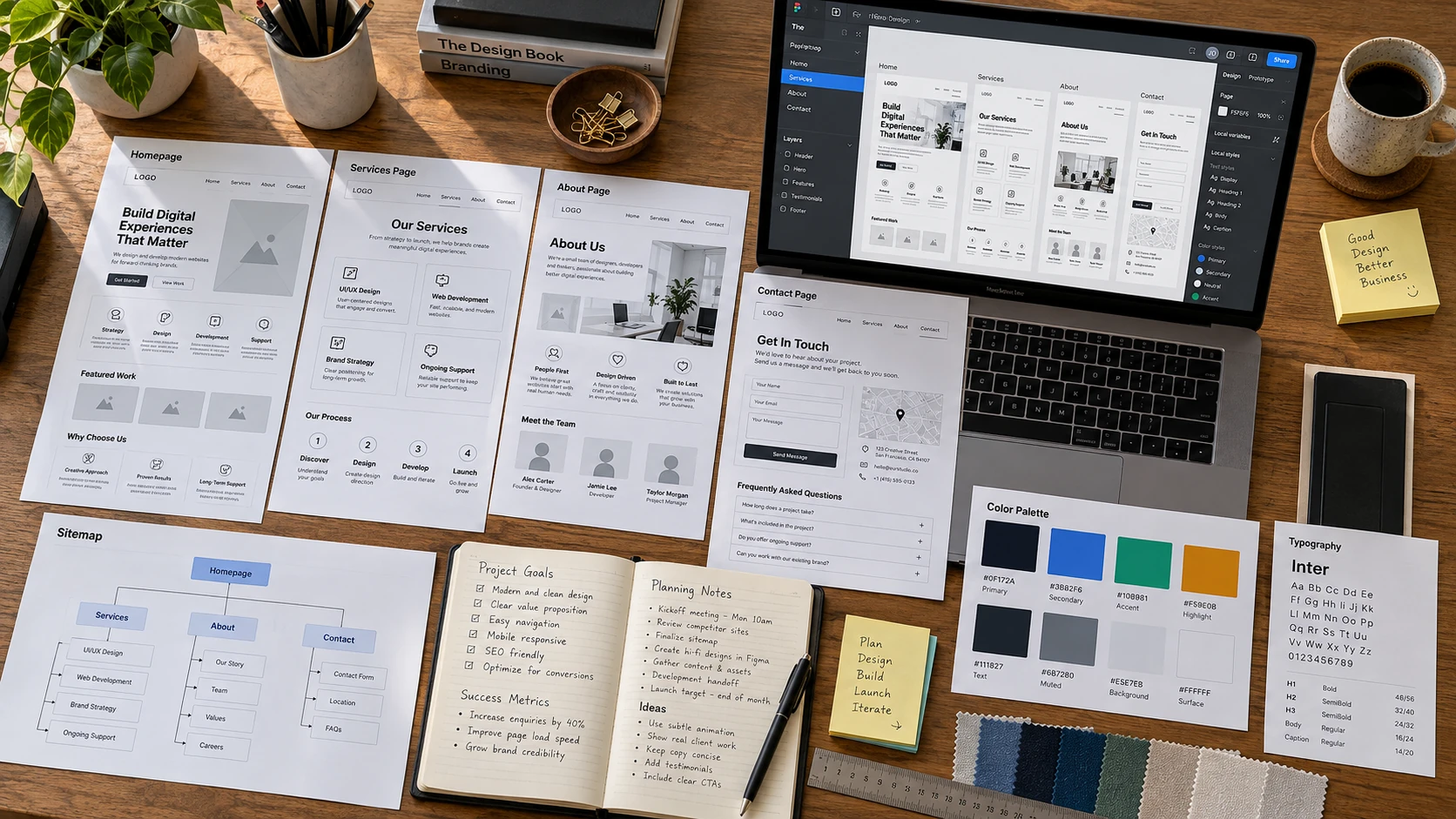
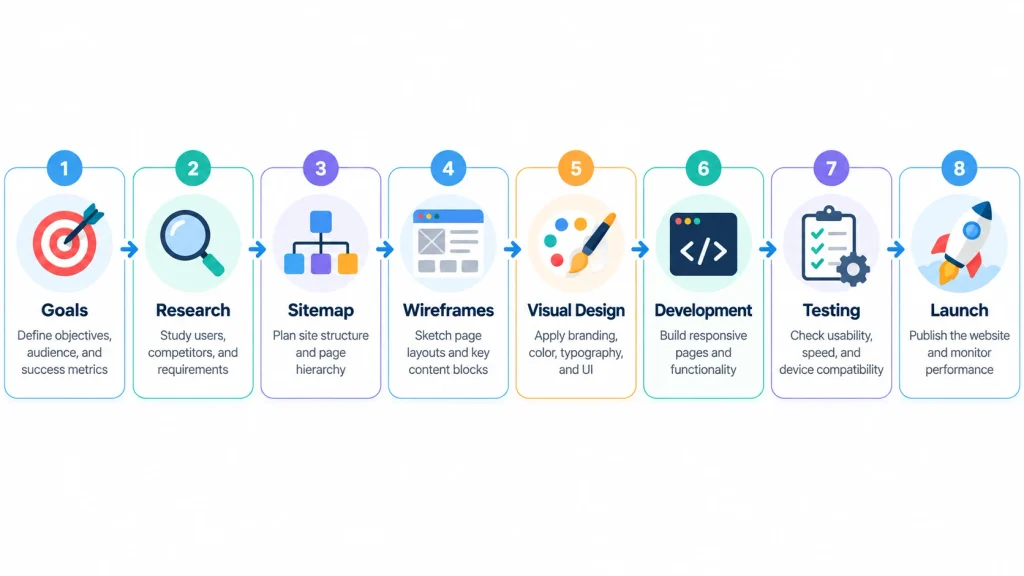
Designing a website from scratch requires a clear plan, a practical layout, consistent branding, and a reliable development platform. The process starts with identifying your website’s purpose and understanding its visitors. Next, you organize pages, create wireframes, choose design elements, and build responsive layouts. Finally, you add content, test functionality, and publish the website. Knowing how to design a website from scratch helps you avoid common mistakes and create a professional online presence.
You do not need advanced coding skills to get started. Platforms like WordPress and visual website builders make development more accessible. However, effective website design still requires planning, creativity, and an understanding of user experience.
Defining Your Website’s Purpose And Goals
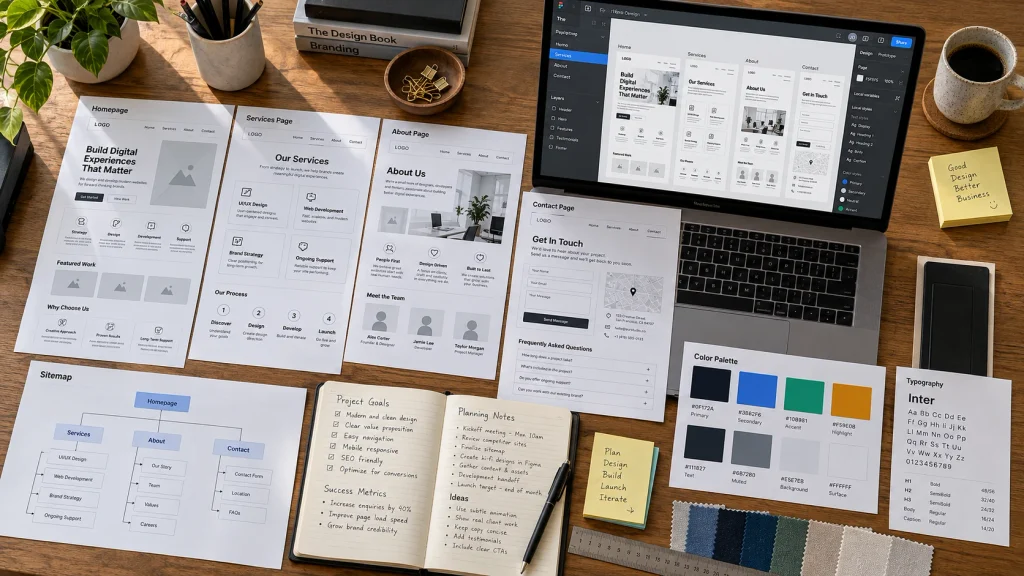
Before designing anything, decide what your website should accomplish. A business website may focus on generating inquiries, while an online store aims to sell products. Similarly, a portfolio highlights professional experience, and a blog provides informational content. Your website’s purpose influences its structure, features, and overall appearance.
Start by identifying one primary goal and a few supporting objectives. For example, a cleaning service website might prioritize quote requests. Its homepage should introduce services, highlight customer benefits, and provide a visible contact button. Setting measurable goals also helps you evaluate performance after launch. Consider your budget, required functionality, and future expansion plans. These decisions will guide your design choices and prevent unnecessary development work.
Identifying Your Target Audience
A successful website should meet the expectations of its intended visitors. Therefore, understanding your audience is an important part of planning. Consider who will visit, what information they need, and which actions they want to complete. A corporate website may require a professional presentation, while a children’s clothing store might benefit from colorful visuals and simple shopping features.
Research your audience through customer feedback, industry trends, and competitor analysis. Pay attention to common questions and purchasing concerns. For example, visitors searching for local repair services often want pricing details, service areas, and contact information. Make these details easy to find. Additionally, consider accessibility and mobile browsing preferences. When your design reflects real user needs, visitors can navigate the website more comfortably and make decisions with greater confidence.
Planning Website Structure And Navigation
A logical website structure helps visitors find information without confusion. Start by creating a sitemap that outlines the main pages and their relationships. Most business websites include Home, About, Services, and Contact pages. Depending on your goals, you may also need a blog, portfolio, or online store. Keep related information together and avoid unnecessary navigation levels.
The following table shows a practical structure for a small business website.
| Page | Primary Purpose |
|---|---|
| Home | Introduce the business and highlight key services |
| About | Explain company background and experience |
| Services | Describe individual services and benefits |
| Portfolio | Showcase completed projects |
| Blog | Share useful information and updates |
| Contact | Help visitors submit inquiries |
Your main navigation should use clear, familiar labels. Visitors should not need to guess where important information appears. Additionally, include useful internal links that connect related pages. A consistent header and footer make navigation easier throughout the website. Keep essential pages accessible from both desktop and mobile menus.
Creating Wireframes And Page Layouts
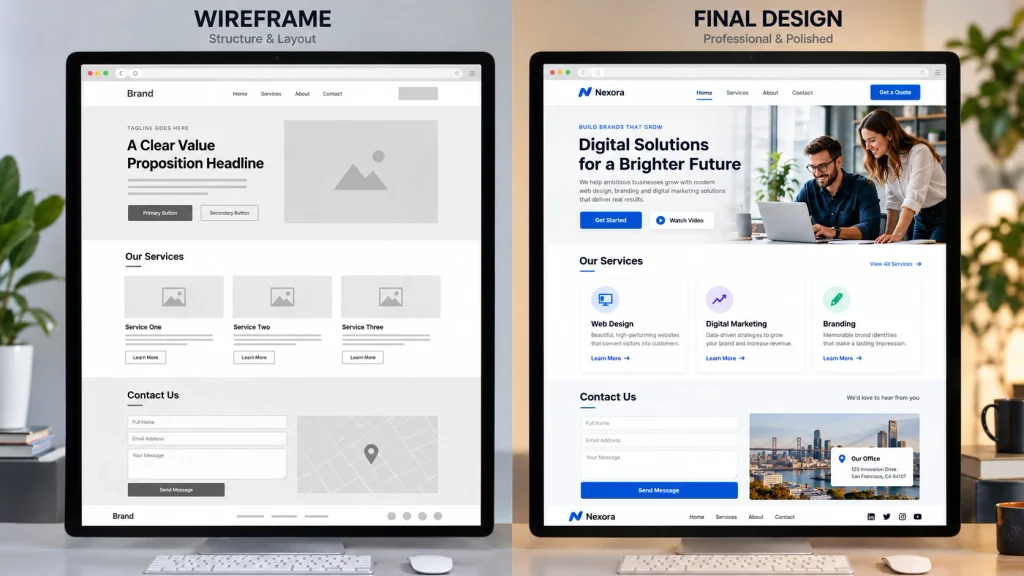
Wireframes are simple sketches that show how website sections will appear. They help you plan page structure before choosing fonts, colors, or images. You can create wireframes using paper, Figma, or another design tool. Begin with the homepage and identify where the navigation, headline, images, services, and contact buttons should appear. This approach makes it easier to organize information without unnecessary distractions.
A typical homepage contains a header, hero section, service overview, trust signals, and footer. However, the exact arrangement depends on your goals. Use visual hierarchy to guide attention toward important information. Large headings communicate key messages, while supporting text explains details. Maintain sufficient white space between sections to improve readability. Also, consider mobile layouts during this stage. A three-column desktop layout may need to become a single column on smartphones.
Choosing Colors, Fonts, And Branding Elements
Colors, typography, and images influence how visitors perceive your website. Choose a limited color palette that matches your brand identity. A professional services website might use navy blue, white, and gray. Meanwhile, a creative business may prefer brighter colors. Regardless of your choices, maintain strong contrast between text and backgrounds. This improves readability and supports accessibility.
Typography deserves equal attention. Select readable fonts and maintain consistent heading sizes throughout the website. Avoid mixing several unrelated font styles. Likewise, use high-quality images that support your content rather than decorative visuals without purpose. Keep buttons, icons, and spacing consistent across pages. These details create a recognizable visual identity. Professional web design services can also help businesses develop consistent branding and user-friendly layouts.
Building Responsive Website Pages
The development stage turns your planned designs into functional web pages. You can build a website using WordPress, a visual website builder, or custom code. WordPress offers themes, plugins, and content management features. Visual builders simplify layout customization, while HTML, CSS, and JavaScript provide greater technical control. Select the platform that matches your requirements and experience.
When learning how to design a website from scratch, responsive design should remain a priority. Responsive websites adjust their layouts to different screen sizes, including smartphones, tablets, and desktop computers. For example, desktop navigation may become a mobile menu, while multiple columns may stack vertically. Images and buttons should also adjust naturally. Google’s responsive web design guide explains practical techniques for creating adaptable layouts. For advanced functionality, web development services can support custom features and application integrations.

Adding Content, Images, And Essential Features
Website content should explain your services, answer visitor questions, and encourage meaningful actions. Start with a clear homepage headline that communicates your main offering. Then, add concise descriptions, helpful images, and relevant calls to action. Each page should serve a specific purpose. For instance, a service page should explain the service, highlight its benefits, and provide an inquiry option.
Search engine optimization also matters during content creation. Use descriptive page titles, logical headings, relevant keywords, and internal links. Furthermore, optimize images to reduce unnecessary loading delays. Add meaningful alternative text where images communicate information. Depending on your website’s purpose, essential features may include contact forms, appointment booking, customer reviews, or ecommerce tools. Avoid adding unnecessary plugins that complicate maintenance. Focus on features that genuinely improve the visitor experience.
Testing And Launching Your Website
Before publishing your website, test its layout, navigation, and functionality. Open important pages on smartphones, tablets, and desktop computers. Check whether buttons work, forms submit correctly, and images display properly. Also, review text readability and spacing across different screen sizes. A page that looks attractive inside an editor may behave differently on an actual device.
Next, review website speed, security, and search engine settings. Compress large images, remove unnecessary scripts, and confirm that HTTPS works correctly. Check internal links and ensure important pages are available for search engine indexing. Once everything works, connect your domain and publish the website. However, launching is not the final step. Regular content updates, security checks, backups, and performance reviews keep your website reliable. Use visitor feedback and analytics to identify improvements over time.

Conclusion
Understanding how to design a website from scratch allows you to approach development with clear goals and an organized process. Start by identifying your audience and planning the website structure. Then, create wireframes, select consistent design elements, and build responsive pages.
A successful website combines attractive visuals with useful content, simple navigation, and dependable functionality. Testing before launch helps prevent common usability problems. Regular maintenance also ensures that the website continues to meet visitor expectations. At Best Website Builder Group, businesses can access professional website design and development solutions. These services help create functional, responsive websites that support long-term business goals.