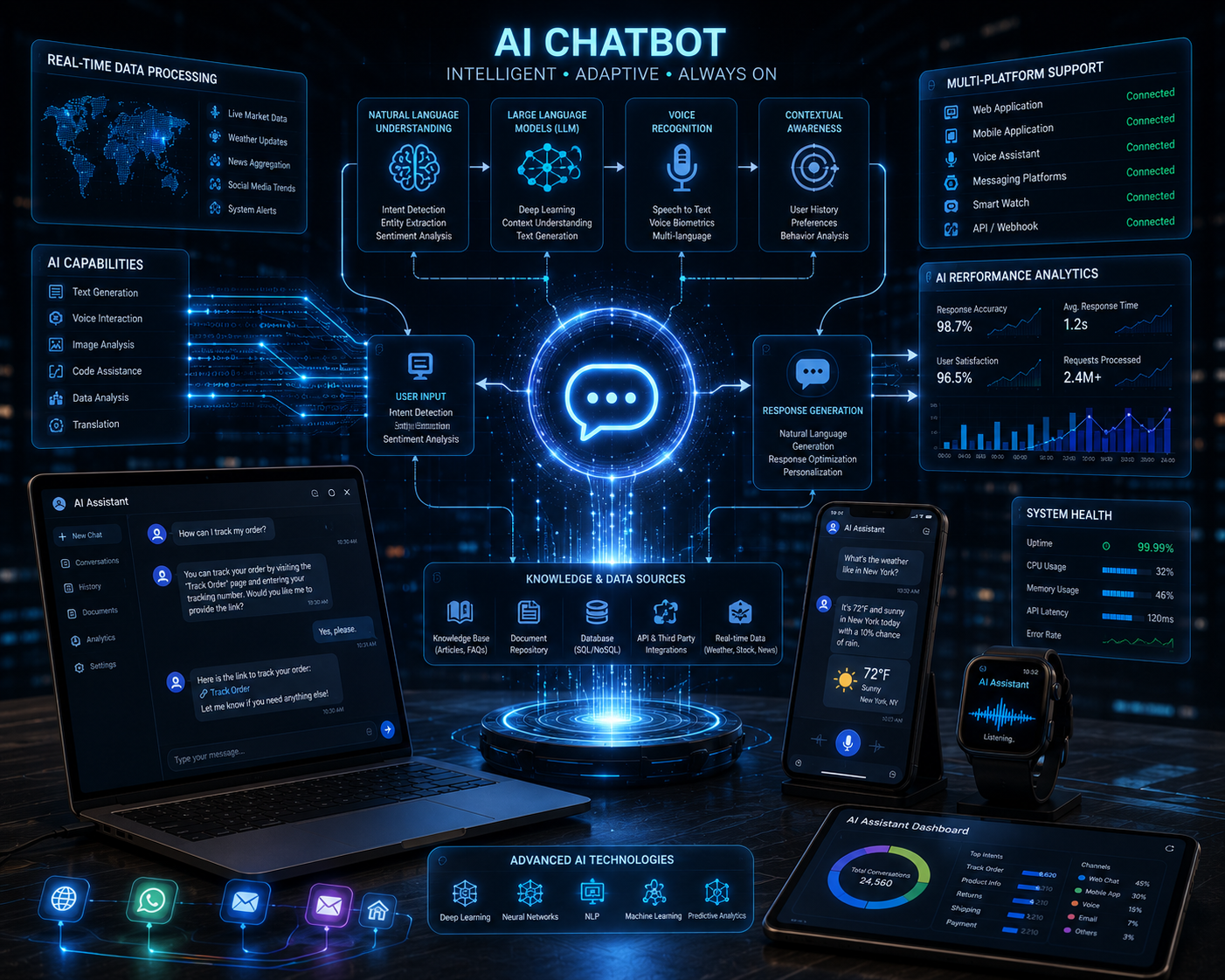
Customer questions, support requests, and lead inquiries can arrive at any hour, and slow responses often cost businesses real opportunities. How to build AI chatbot starts with creating a system that can understand user questions, provide helpful answers, collect useful information, and guide visitors toward the right next step. An AI chatbot is not just a pop-up message box on a website. It can support customer service, qualify leads, recommend products, book appointments, and reduce repetitive work for teams. The strongest chatbots are built with a clear purpose, accurate data, thoughtful conversation flow, and regular testing. Once these pieces work together, a chatbot becomes more than an automation tool. It becomes part of the customer experience and can help a business respond faster without losing the personal feel that users expect.

Define The Main Goal Before Building The Chatbot
A chatbot should never be built just because the technology is available. The first step is deciding what the chatbot needs to accomplish. Some businesses need a chatbot to answer basic customer questions. Others need one to qualify leads, recommend services, schedule appointments, or guide users through a purchase. Clear goals help determine the chatbot’s structure, tone, and technical requirements. A support chatbot may need access to FAQs, policies, and troubleshooting guides. A sales chatbot may need to ask qualifying questions and send strong leads to a CRM.
An e-commerce chatbot may need product data, shipping details, and order lookup features. Setting the goal early prevents the chatbot from becoming confusing or too broad. This also helps teams measure success later because they know which outcomes matter most. A clear goal keeps the chatbot focused, useful, and easier to improve over time.
Choose The Right Type Of AI Chatbot
The next step in how to build AI chatbot is choosing the right type of system for your business needs. Some chatbots use simple rules and follow fixed conversation paths. According to NIST, artificial intelligence plays a growing role in helping organizations improve systems, data use, and decision-making. These work well for basic questions, but they can struggle when users type unexpected requests. AI chatbots use natural language processing and machine learning to interpret user intent more flexibly.
More advanced systems use large language models to generate responses based on a knowledge base, user context, and connected tools. The best option depends on your goals, budget, and risk tolerance. A small service business may only need a website chatbot that answers FAQs and collects leads. A larger company may need a chatbot connected to customer records, order systems, or internal workflows.
Build A Strong Knowledge Base For Accurate Answers
An AI chatbot is only as useful as the information it can access. A strong knowledge base gives the chatbot reliable material to answer questions. This may include service pages, product descriptions, pricing details, policies, FAQs, blog content, manuals, onboarding documents, and support guides. The goal is to give the chatbot clean, current, and well-organized information. If the source content is outdated or vague, the chatbot may give weak answers.
Businesses should review their existing website content before connecting it to an AI system. Gaps in content often become gaps in chatbot performance. This is one reason a strong website structure matters before launching automation. Businesses planning a better digital support experience often improve their content and layout through Website Redesign so users and AI systems can both access information more clearly. A chatbot performs better when it has accurate answers ready before users ask.
Design The Conversation Flow Around Real Users
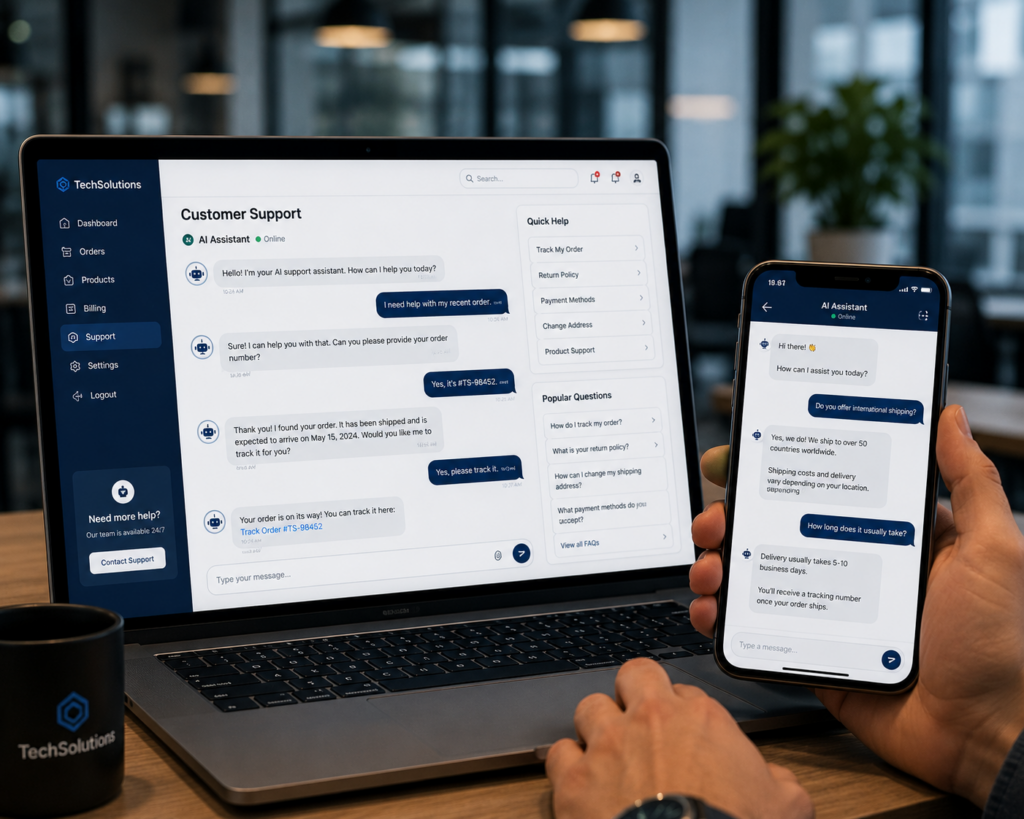
Good chatbot design starts with real customer behavior. Users rarely speak in perfect business terms. They ask short questions, use casual wording, misspell words, and jump between topics. The chatbot should handle these patterns without making users feel trapped. A strong conversation flow includes clear greetings, helpful answer paths, fallback responses, and smooth handoff options. The chatbot should ask one question at a time when collecting information. It should also avoid long blocks of text unless the user asks for details.
For lead generation, the flow may ask about the service needed, location, budget, and preferred contact method. For support, the flow may ask about the issue, product, order number, or urgency. The best flows feel natural and helpful, not like a rigid form. This step matters because even a powerful AI model can frustrate users if the conversation structure feels messy or unclear.
Select The Platform And Integration Tools
Platform choice affects how easy the chatbot is to build, manage, and improve. Some businesses use no-code chatbot platforms that connect directly to websites, CRMs, and messaging apps. Others build custom AI chatbots using APIs, custom backend systems, and trained knowledge bases. The right choice depends on the complexity of the chatbot. A simple website assistant may only need a no-code setup with basic training data. A chatbot that checks order status, books appointments, or updates customer records needs stronger integrations.
Key integrations may include a CRM, email platform, calendar tool, e-commerce system, help desk, or analytics platform. The chatbot should fit into the business workflow instead of creating another disconnected tool. A clean integration setup ensures leads reach the right team, support tickets are tracked properly, and customer actions are recorded. Without good integrations, the chatbot may answer questions but fail to support real business operations.
Train The Chatbot With Clear Instructions
Training an AI chatbot involves more than uploading content. The system needs clear instructions about tone, response style, limits, and escalation rules. It should know when to answer directly, when to ask follow-up questions, and when to send the user to a human. This is a key part of how to build AI chatbot because poor instructions can lead to confusing or inaccurate responses.
The chatbot should also be told what not to do. For example, it should avoid making promises about pricing, legal issues, medical advice, or service availability unless the business has approved that information. The tone should match the brand. A law firm may need a formal tone, while a local home service company may prefer a friendly and simple style. Clear instructions help the chatbot behave consistently and protect the business from risky or misleading responses.

Test The Chatbot Before Launching It Publicly
Testing protects the user experience before customers interact with the chatbot. A chatbot should be tested with real questions, unusual wording, spelling mistakes, and edge cases. Teams should check whether the chatbot answers correctly, asks useful follow-up questions, and knows when to escalate. Testing should include common customer questions, sales objections, service area questions, pricing questions, product questions, and complaints. It should also test what happens when the chatbot does not know the answer.
A good fallback response should be helpful, honest, and direct users toward a human or a contact form. Testing also reveals whether the chatbot is too wordy or too short. Businesses should review conversation logs during the testing stage and adjust instructions, training content, and workflows. Launching without proper testing can create poor first impressions, especially if the chatbot gives wrong answers or blocks users from getting help.
Measure Performance And Improve Over Time
An AI chatbot should improve after launch. Tracking performance helps businesses see what works and what needs adjustment. Useful metrics include total conversations, answered questions, lead submissions, handoff rate, unresolved questions, customer satisfaction, and conversion rate. Conversation logs can show where users get stuck or where the chatbot gives weak responses. These insights help teams improve content, add better answers, and refine the conversation flow.
The chatbot should also be reviewed whenever services, pricing, policies, or products change. If the website changes but the chatbot’s knowledge base stays outdated, users may receive incorrect answers. Regular improvement keeps the system useful and trustworthy. This final step separates a basic chatbot from a strong business tool. A chatbot that keeps learning from real interactions can become more accurate, more helpful, and more valuable over time.
Conclusion
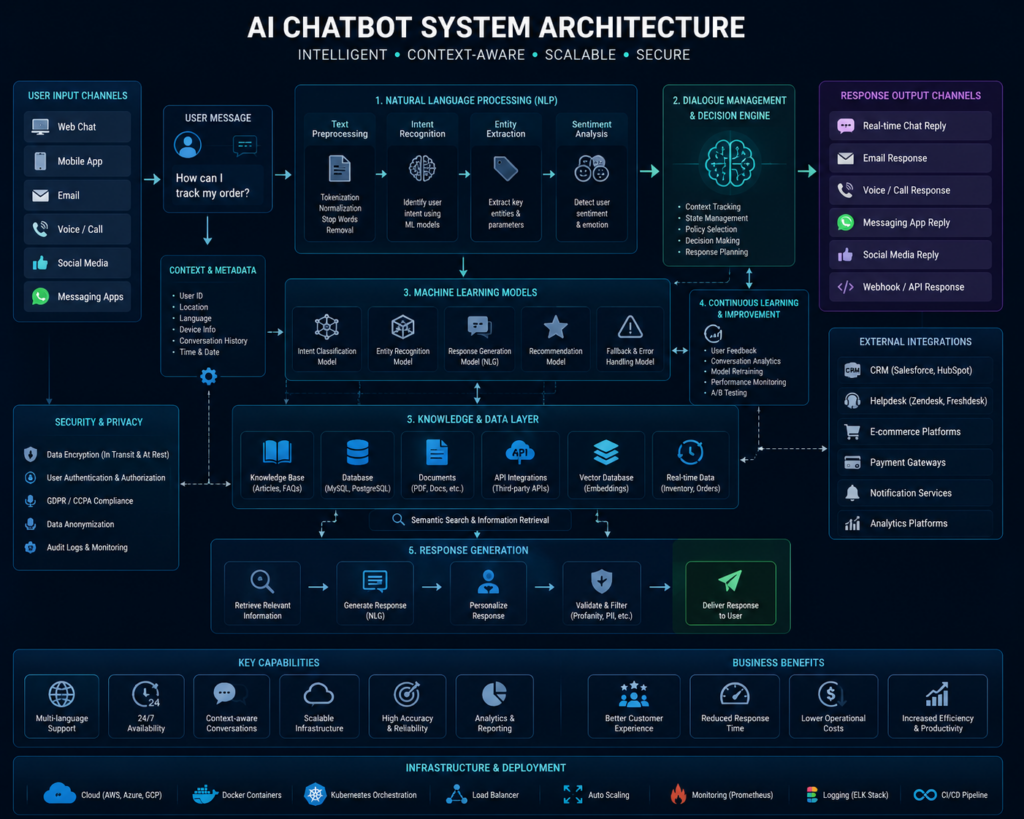
How to build AI chatbot comes down to creating a clear goal, choosing the right platform, preparing accurate knowledge, designing helpful conversation flows, connecting the right tools, and testing the system before launch. The answer sounds technical, but the real success factor is user experience. A chatbot should help people get answers faster, make better decisions, and reach the right team when human support is needed.
The best AI chatbots are not built once and forgotten. They improve through real conversations, updated content, and better workflows. Businesses that treat chatbots as part of their wider digital strategy can use them to improve support, capture leads, and reduce manual work. Companies that want stronger digital systems often work with Best Website Builder Group to build smarter online experiences that support growth, automation, and better customer communication.