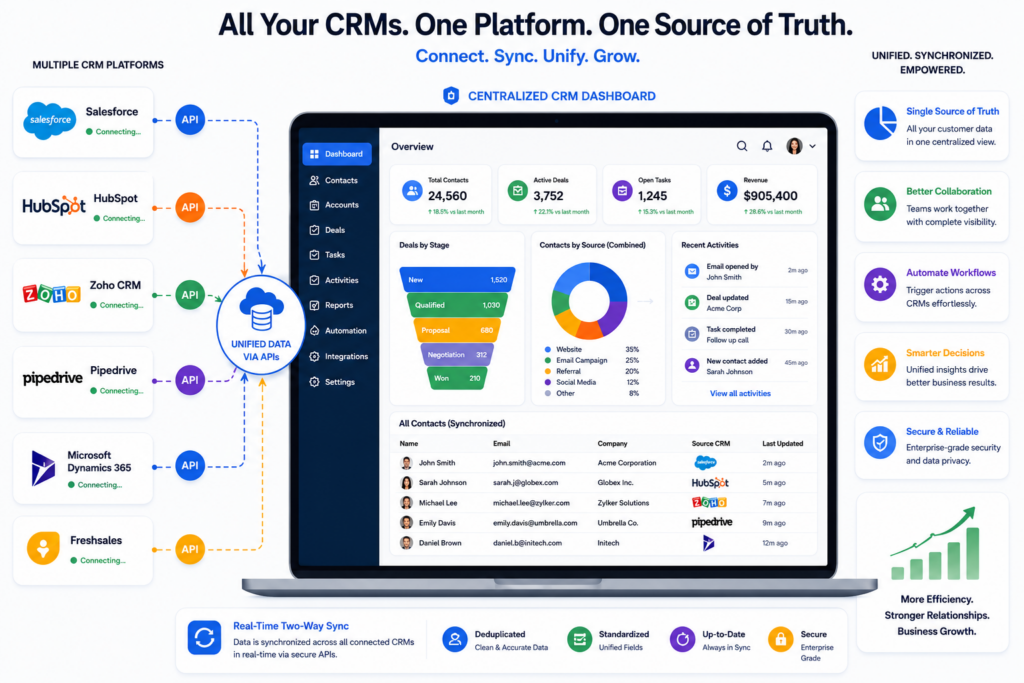
Many growing businesses use more than one customer relationship management system without planning to do so. The sales team may work in one CRM, the marketing department may rely on another platform, and customer support may store information in a completely different system. Over time, customer data becomes scattered, duplicate records appear, and employees waste valuable time switching between applications. How to integrate multiple CRM systems into one platform begins with creating a strategy that allows every department to access accurate, up-to-date information from a centralized source.
Integration does not always mean replacing every existing CRM. In many cases, businesses connect their systems so data flows automatically between them while users continue working with familiar tools. A successful integration improves collaboration, reduces manual data entry, strengthens reporting, and creates a consistent customer experience across the entire organization. With the right planning and technology, businesses can transform disconnected systems into one connected platform that supports long-term growth.
Why Businesses End Up Using Multiple CRM Systems
Most companies do not intentionally choose several CRM platforms. Multiple systems usually appear as the business grows. A marketing department may purchase software that supports campaign management. The sales team may adopt another CRM because it offers stronger pipeline management. Customer service may later implement software designed specifically for support tickets and communication. Each department selects the solution that best fits its immediate needs, but over time these independent decisions create operational challenges.
Employees begin entering the same customer information into different systems. Updates made in one platform never reach another. Managers struggle to generate accurate reports because every department works from different data. Customers may even receive inconsistent communication because one team cannot see the complete interaction history. Instead of improving productivity, disconnected CRM systems create unnecessary complexity. Recognizing these problems is often the first step toward building a unified customer management strategy.
Identify Every System That Stores Customer Information
Before connecting multiple CRM platforms, businesses should understand exactly where customer information currently exists. Customer records may be stored in CRM software, email marketing platforms, ecommerce systems, accounting software, appointment scheduling tools, help desk applications, and spreadsheets. Every system that creates or updates customer data should be included in the planning process.
This assessment also reveals how information moves through the business. A lead may enter through a website form, move into a marketing platform, transfer to the sales CRM, and later appear inside customer support software after becoming a client. Mapping these workflows helps businesses identify duplicate processes, unnecessary manual work, and opportunities for automation. A successful integration strategy depends on understanding the complete customer journey rather than focusing on individual software platforms.
Decide Which Platform Will Become The Primary Source Of Truth
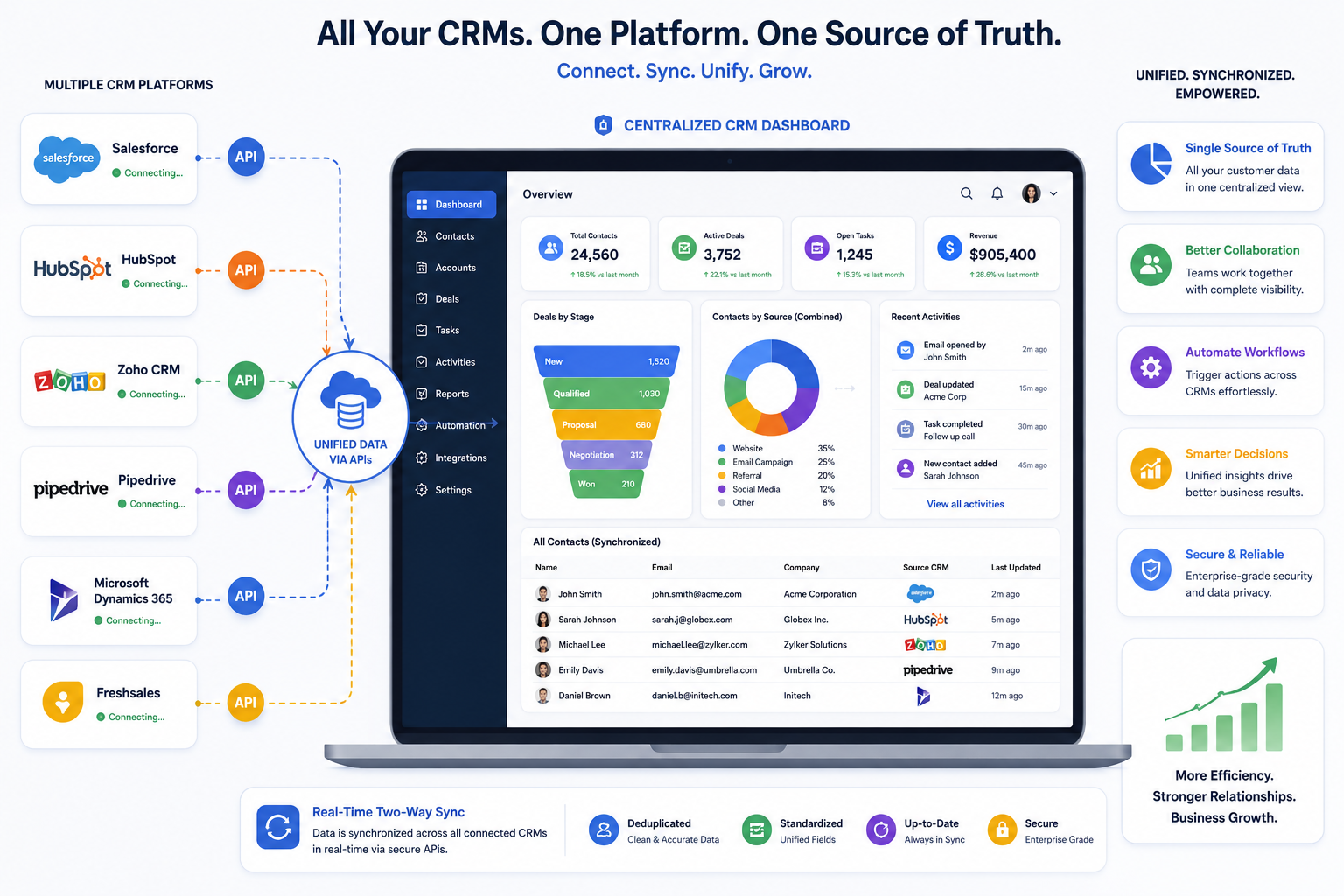
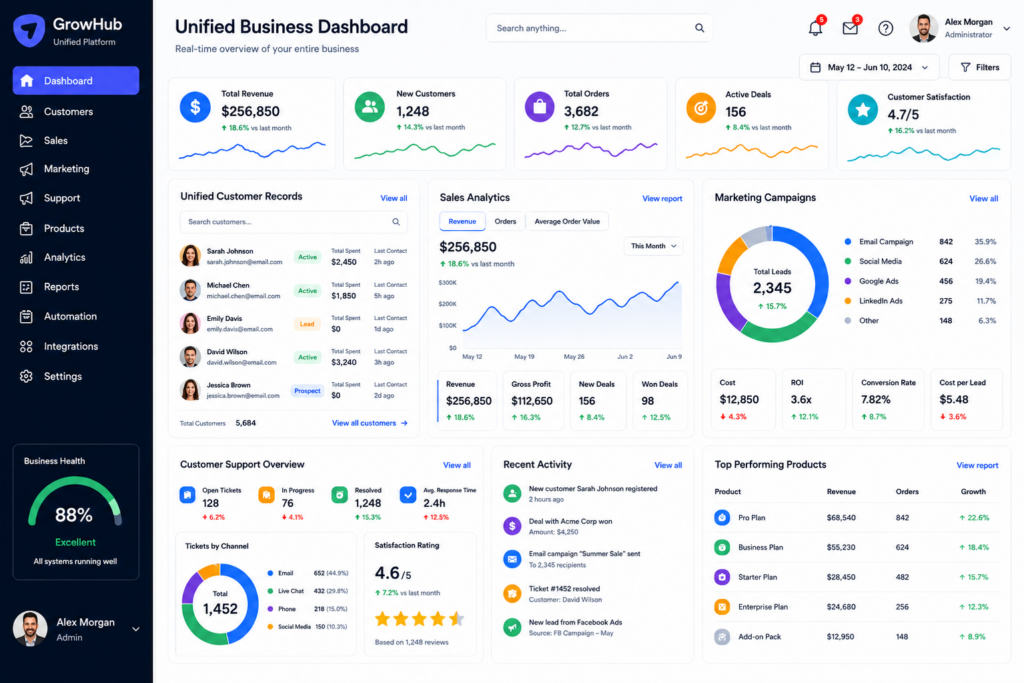
One of the most important decisions during CRM integration is selecting the system that will serve as the primary source of customer information. Without a central authority, different platforms may overwrite each other’s records and create conflicting data. The primary CRM should contain the most accurate customer profiles while other systems exchange information with it automatically.
This does not mean every department must abandon its preferred software. Marketing teams may continue using specialized campaign tools while sales representatives work inside a dedicated sales CRM. The difference is that all systems synchronize with one central database that maintains accurate customer records. Businesses that establish a single source of truth reduce duplicate entries, improve reporting accuracy, and ensure every department works with consistent information.
Plan Data Mapping Before Connecting Systems
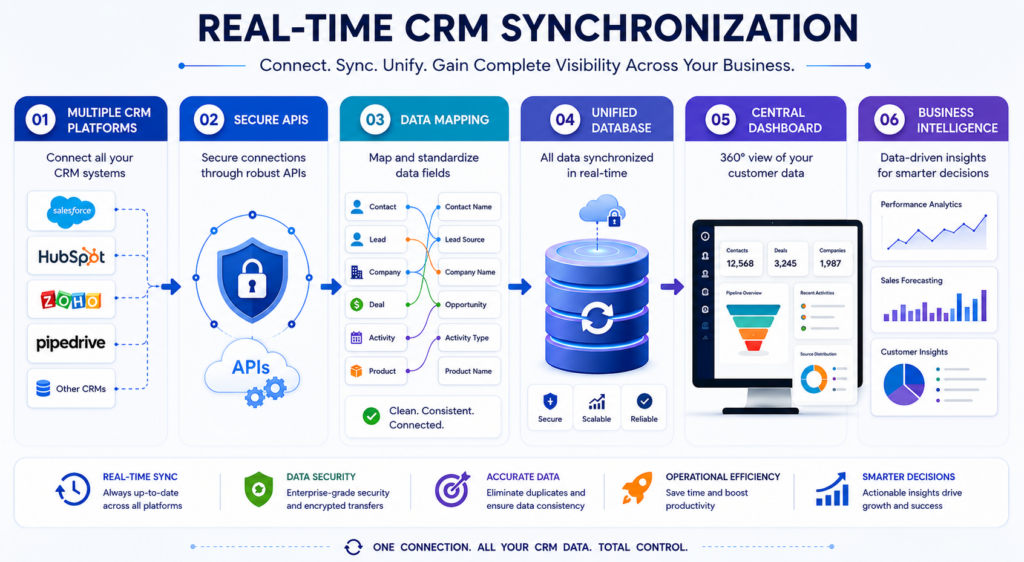
Every CRM organizes information differently. One platform may use separate fields for first and last names, while another combines them into a single field. Customer status, lead stages, phone numbers, addresses, and custom fields may also follow different structures. Before integration begins, businesses should carefully map how information will move between systems.
Good data mapping prevents information from being lost or placed in incorrect fields during synchronization. It also creates standardized customer records across every platform. Businesses planning more advanced digital systems often combine CRM integration with professional WooCommerce Website Design to ensure customer information flows smoothly between websites, online stores, and CRM platforms. Careful planning at this stage reduces future maintenance while creating a more reliable integration.

Use APIs And Integration Platforms To Connect Your CRMs
After selecting the primary CRM and mapping the data, the next step is connecting the systems. Many modern CRM platforms provide APIs that allow software applications to exchange information automatically. Businesses can also use integration platforms that connect multiple systems without requiring custom development. These platforms synchronize customer records, sales activities, contacts, tasks, and other important information while reducing manual work. The right integration method depends on the complexity of the business, the software being used, and the level of customization required.
Some organizations only need basic synchronization between two platforms, while others require advanced workflows involving websites, marketing automation, accounting software, customer support tools, and ecommerce systems. Regardless of the approach, the objective remains the same. Customer information should move automatically between systems without requiring employees to enter the same data repeatedly. This saves time, reduces errors, and keeps every department working with current information.
Automate Workflows Across Every Department
Integrating CRM systems creates opportunities to automate entire business processes. Instead of simply sharing customer records, businesses can trigger actions whenever specific events occur. A new lead submitted through the website can automatically enter the sales pipeline, notify the assigned representative, create a follow-up task, and begin an email nurturing campaign. Once the customer completes a purchase, the CRM can update account records, notify customer support, and generate onboarding activities without manual intervention.
These automated workflows reduce delays and ensure every customer receives consistent communication throughout the sales journey. Employees spend less time transferring information between systems and more time helping customers. Automation also improves accountability because every task is assigned, tracked, and completed within an organized process instead of depending on memory or handwritten reminders.
Test The Integration Before Going Live
Even well-planned integrations require careful testing before deployment. Businesses should verify that customer records synchronize correctly, duplicate entries are prevented, and every workflow performs as expected. Testing should include creating new contacts, updating customer information, deleting records where appropriate, and confirming that changes appear correctly across every connected platform. Teams should also test automated notifications, email sequences, reports, and user permissions.
A staged rollout often works better than connecting every department at once. Beginning with a smaller group of users allows businesses to identify unexpected issues before the integration affects the entire organization. Careful testing reduces operational disruption while building confidence that the connected platform will support daily business activities reliably.
The Future Of Unified CRM Platforms
Customer relationship management continues evolving as businesses adopt artificial intelligence, automation, and cloud-based software. Modern CRM ecosystems increasingly connect marketing, sales, customer service, finance, and operations into one coordinated environment. According to the National Institute of Standards and Technology (NIST), artificial intelligence continues improving how organizations process information and support decision-making across many industries. These advancements will make CRM integrations even more intelligent by helping businesses identify opportunities, automate workflows, and deliver more personalized customer experiences.
Organizations that invest in connected CRM platforms today position themselves for future innovation. Rather than managing disconnected software, they create a digital foundation that supports collaboration, automation, and data-driven growth across every department.
Conclusion
How to integrate multiple CRM systems into one platform begins with identifying every source of customer data, selecting a primary CRM, mapping information carefully, connecting systems through reliable integrations, and automating workflows that improve efficiency. The goal is not simply to connect software but to create one trusted customer record that every department can rely on. This approach reduces duplicate work, improves collaboration, and gives managers accurate information for better decision-making.
A unified CRM environment allows businesses to deliver faster service, strengthen customer relationships, and scale operations with greater confidence. Companies looking to connect their websites, CRM platforms, automation tools, and business processes into one efficient digital ecosystem often work with Best Website Builder Group to build solutions that support sustainable growth and long-term success.